Skip to content
Elev8+ Trading

Nasdaq Command Center / Free with an account

Your Nasdaq premarket routine,
in one free dashboard.

See what’s moving the market before you make your move. Market health, Nasdaq breadth, sentiment, and the events ahead. Together, in one place.

No credit card. No trial period. Create a free account to access the tools.

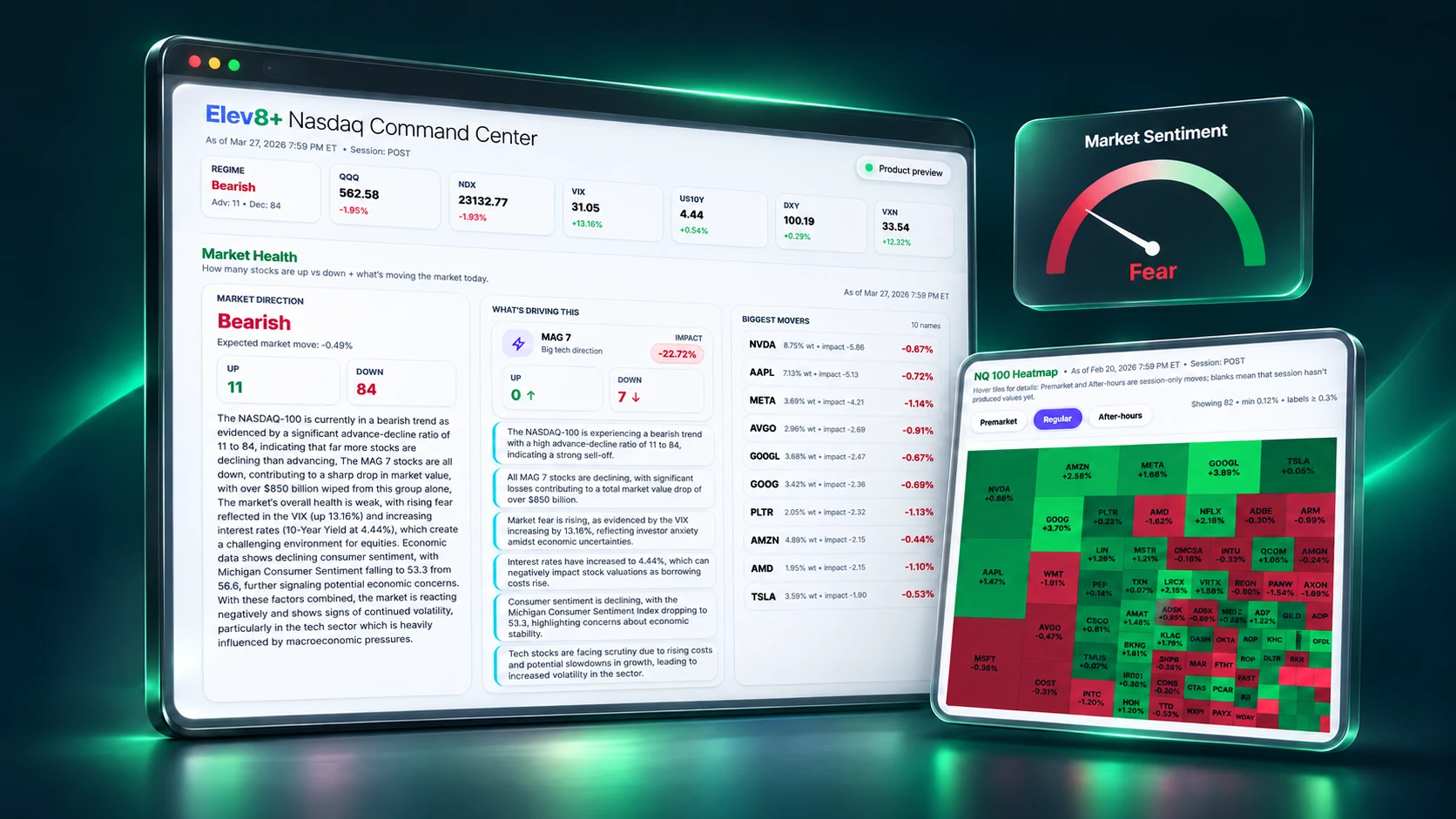
Illustrative Elev8 Nasdaq Command Center with Market Health, a Nasdaq heatmap, and a sentiment gauge on floating displays. Historical example data.
Market healthBreadth, MAG 7 & movers
Market sentimentFear-to-greed context
Nasdaq heatmapSee the index drivers
Illustrative product view · Historical example data

A little prep. A clearer session.

Open the dashboard.
Build your morning picture.

Go from “what’s happening?” to a plan you can take to your chart. The free tools follow the way you prepare.

01Read the conditions

Is the move broad,
or just a few big names?

Check market direction, breadth, and MAG 7 participation. Use the heatmap to see which stocks and sectors are moving the index.

  • Market Health & regime detection
  • Plain-language summary of current market conditions
  • Nasdaq-100 sector heatmap
Explore market health
02Know what’s ahead

Check the calendar
before the chart.

Review scheduled U.S. economic releases and Nasdaq-100 earnings. Forecasts, actuals, and reported results help you understand the event risk.

  • Economic & earnings calendars
  • Market headlines in the same workspace
  • VIX, dollar, yields & market snapshot
See the Command Center

Read the MNQ premarket checklist

03Plan, trade, review

Take context to your chart.
Bring the lessons back.

You decide what to trade and when. After the session, log your trades and review your performance in the built-in journal.

  • Manual trade entry with notes
  • Performance charts & trading calendar
  • Closed-trade sync with supported brokers
Look inside the journal

Your feedback loop · included free

Prep with context.
Improve with a record.

Keep your trades, notes, performance charts, and trading calendar together. Enter trades yourself or connect a supported broker to import closed trades.

TradovateProjectX

Broker sync imports closed trades into your journal. You can also use manual entry without connecting a broker.

Start journaling free

See a worked MNQ journal entry

From a closed trade on the chart to a saved journal recordAn illustrative chart trade becomes a record that travels into the trading calendar and trade history. Recording is by manual entry or a supported broker import. ON YOUR CHARTA trade worth reviewing.Execution review · entries, exits and volumeShort entryExitLong entryExitTrading JournalFebruary 2026↗SMTWTFS12345678910111213141516171819202122232425262728Trade historySYMBOL / SIDEREVIEWNQ · ShortFeb 9, 2026SavedNotes + chartNQ · LongFeb 10, 2026SavedNotes + chartYour trades. Your notes. One record.CLOSED TRADENQ · ShortEntry → Exit✓ Trade added to your journal
Illustrative journal workflowView actual journal (opens in a new tab)
Elev8 tools working together on a unique confluence chartAn illustrative setup replay: Market Map marks the London high, price sweeps it, displacement breaks structure and leaves a Real FVG, price retests the gap, and an Elev8 Pro short confirmation appears. VWAP deviation bands provide context. These are illustrative conditions, not a trade recommendation or live feed. Elev8+IndicatorsILLUSTRATIVE SETUP REPLAYLondon high · Market MapHigh sweepReal FVGBOSRetestLSElev8+ ProVWAP DeviationMarket MapReal FVGElev8+ Pro
Illustrative confluence replayView actual chart (opens in a new tab)

On your TradingView chart · optional paid upgrade

Give your market context
a place on the chart.

Use the free dashboard for the big picture. Add the seven Elev8+ TradingView indicators to mark key levels, price zones, and potential setups. You choose the tools and make the trading decisions.

$0 today, then $59 a month if you keep it. Cancel before the 7 days end and you are not charged.

AutoTrader & Hybrid / Separate paid products

Meet the other side
of your trading workspace.

Let the rules handle execution. AutoTrader and Hybrid run defined strategies on your connected futures account—even when your computer is off. Explore how they trade, review the results, and see how to get started.

Explore AutoTrader

A virtual look inside the Elev8 automation team: market preparation, strategy checks, risk settings, and execution. Illustrative activity, not live trading.

01 / Find your fit

Find the strategy that fits you.

Compare AutoTrader and Hybrid, see the rules behind each strategy, and review the backtest results before you decide.

Compare the strategies
02 / Make it yours

Start with the account you already have.

Connect a supported futures account and choose your contract size. Check your broker and prop firm requirements so you know what you need to get started.

Check your broker
03 / Take back your time

Get more freedom from your screen.

Your strategy runs on Elev8’s servers, even when your computer is off. You choose when to enable it, monitor your account, and keep the off switch.

See how it works

Tradovate · NinjaTrader · TradeStation · ProjectX / TopstepX

For prop firm accounts, check that your firm permits automated trading.
Check broker compatibility
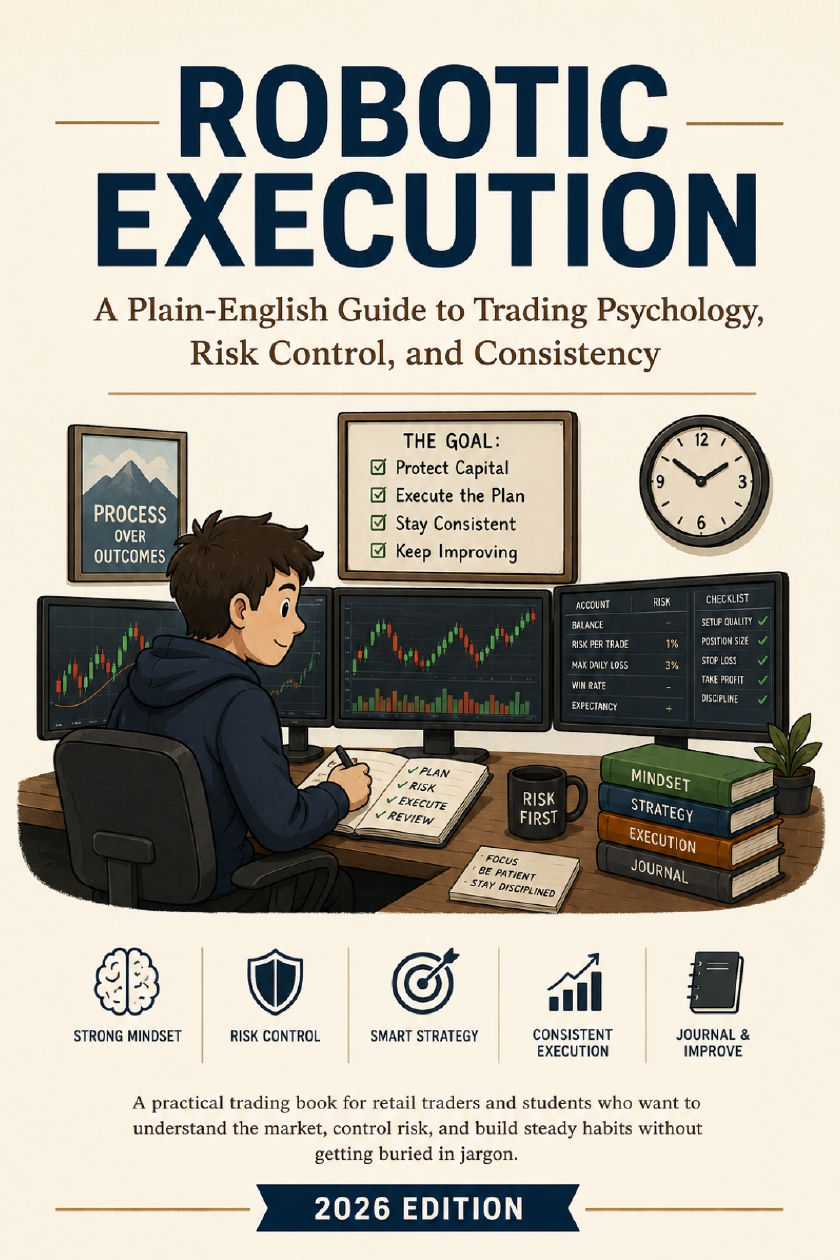
Robotic Execution, the free 92-page Elev8 trading ebook

Something to read before your next session

The plan is only half the work.
Following it is the other half.

Get Robotic Execution, a free 92-page guide to position sizing, handling losses, and sticking to the trade you planned.

We email you the download link. The ebook is also included when you opt in with a free account.

Make the dashboard part of your routine

Your next session
starts here.

Market health, breadth, sentiment, calendars, and your trading journal.
One workspace. Free with an account.

Create my free account

Already have an account? Sign in here