What You Will Learn
An MNQ trade can follow your plan and still lose money. Record the fills and costs to explain the result, then use a short note to answer a separate question: did you follow the plan you wrote before entering?
- Record the contract, side, quantity, and actual fills from your broker.
- Use $2 per point per MNQ contract to check the gross result.
- Use the notes and calendar to compare the plan with what happened.
How to journal an MNQ trade
-
Start with the fills
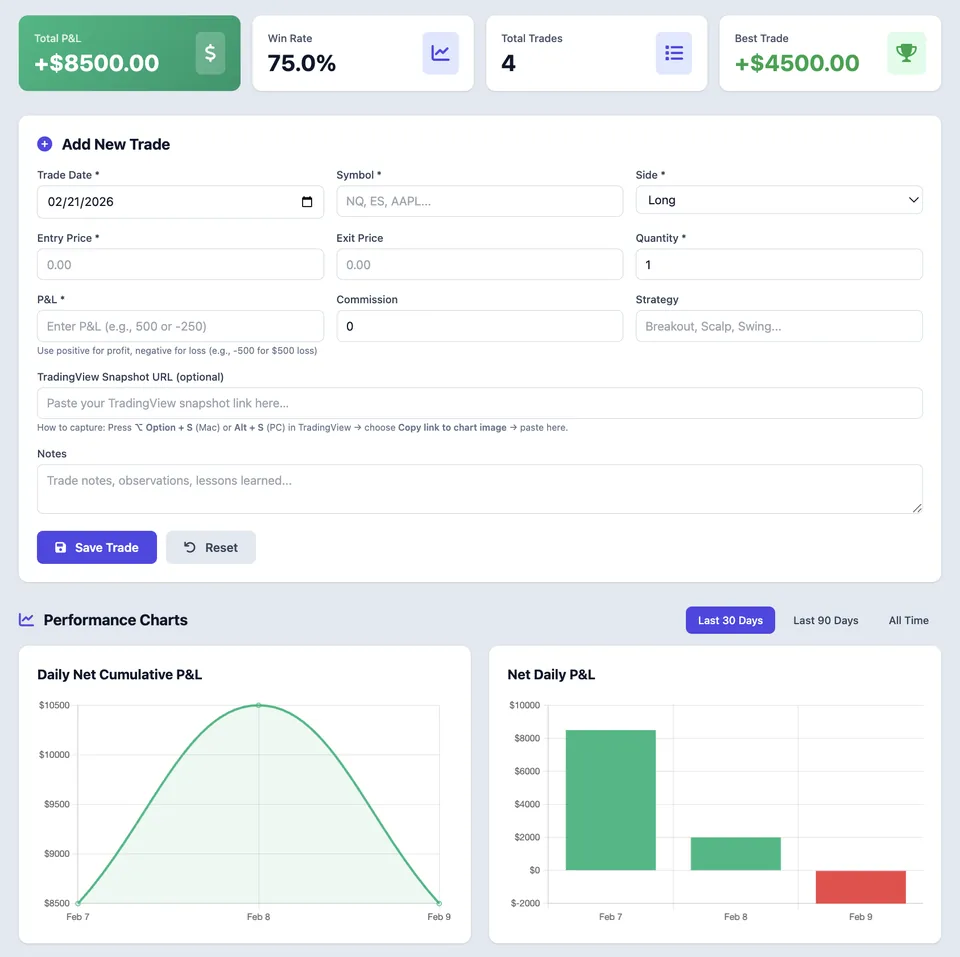
Open Add New Trade and enter the trading date, the MNQ symbol from your broker, the side, and the number of contracts. Enter the actual entry and exit prices. If you scaled in or out, use the broker’s closed-trade record to reconcile the totals.
-
Record the dollars after fees
One MNQ contract is $2 per point or $0.50 per 0.25-point tick. For a closed trade, check gross P&L against the fills and subtract the actual round-trip fees once. Enter the net amount in P&L when you want the calendar to show the result after fees, and keep any commission separate for reference.
-
Write down the decision
Use Strategy to label the setup and Notes to record what you expected, where the idea would fail, and whether you followed that rule. Attach a TradingView snapshot in the optional field if it helps you remember the price reaction.
-
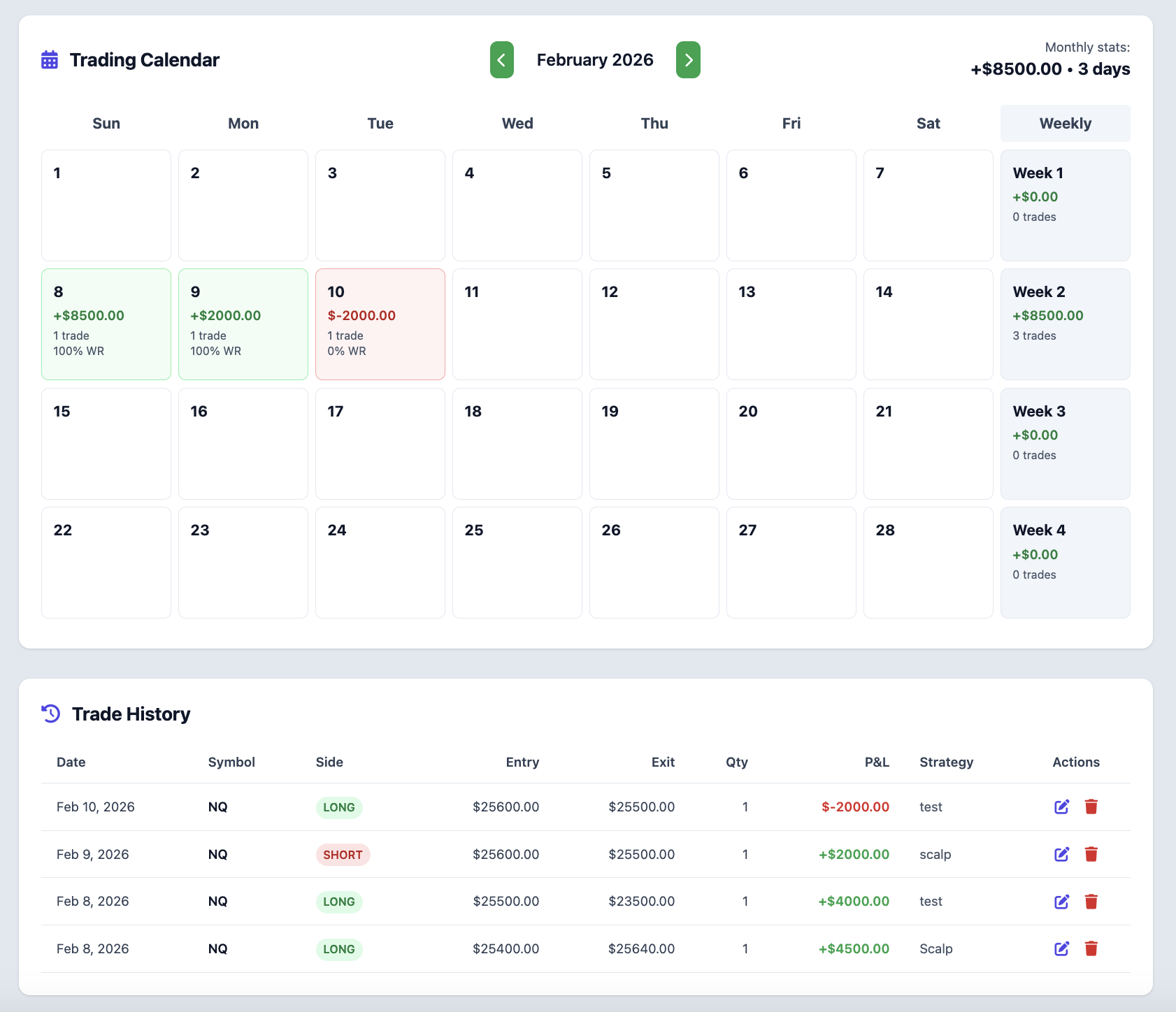
Review the day in the calendar
Open the trade’s day in the journal calendar and compare your notes with the fills. Look for one habit worth repeating and one thing to check earlier next time. Use the broker’s statement to resolve missing or duplicate trades.
Example MNQ journal entry
| Journal field | Example entry |
|---|---|
| Symbol and side | MNQ, long |
| Quantity | 2 contracts |
| Entry and exit | 20,100.00 → 20,090.00 |
| Gross P&L | −$40.00 |
| Round-trip fees | $4.00 total |
| Net P&L to record | −$44.00 |
These are made-up fills and fees for a walkthrough. Use the amounts from your own broker statement.
Review a closed MNQ trade
A 10-point loss on two MNQ contracts
In the example below, a long trade enters at 20,100.00 and exits at 20,090.00. Ten points against the trade at $2 per point on two contracts is a $40 gross loss. With $4 in example round-trip fees, net P&L is −$44.
Review the exit separately from the result
A useful note might read, “I closed when price moved back into the range, as planned.” That makes the next review about a decision you can check, even on a losing day.
Common Execution Mistakes To Avoid
- Entering NQ when the broker fill was for MNQ.
- Subtracting fees from a result the broker already reported net.
- Recording a closed trade manually after importing it from the broker.
Take the next step with Elev8+
Use the free journal to record a closed trade, keep the chart and notes together, and review that day in the calendar.
Further Reading
About this guide
Published by Elev8+ Trading to explain trading concepts and our products. Elev8 sells the tools linked here; these guides are not independent product rankings or personalized financial advice. Chart examples illustrate a process, not audited trading results.
Dates identify substantive content updates, not a claim of independent expert review. Check current exchange, broker, and prop-firm rules before relying on a calculation. Ask a question or report a correction.