Who This Is For
- Traders who want one practical daily workflow for context, bias, and setup selection.
- Anyone reducing tool overload and standardizing morning prep.
- Traders who want a preparation checklist rather than a prediction.
Free NQ market context
Looking for NQ bias today? Open the current Market Health dashboard, then use this guide to interpret Nasdaq participation, leadership, and your chart levels.
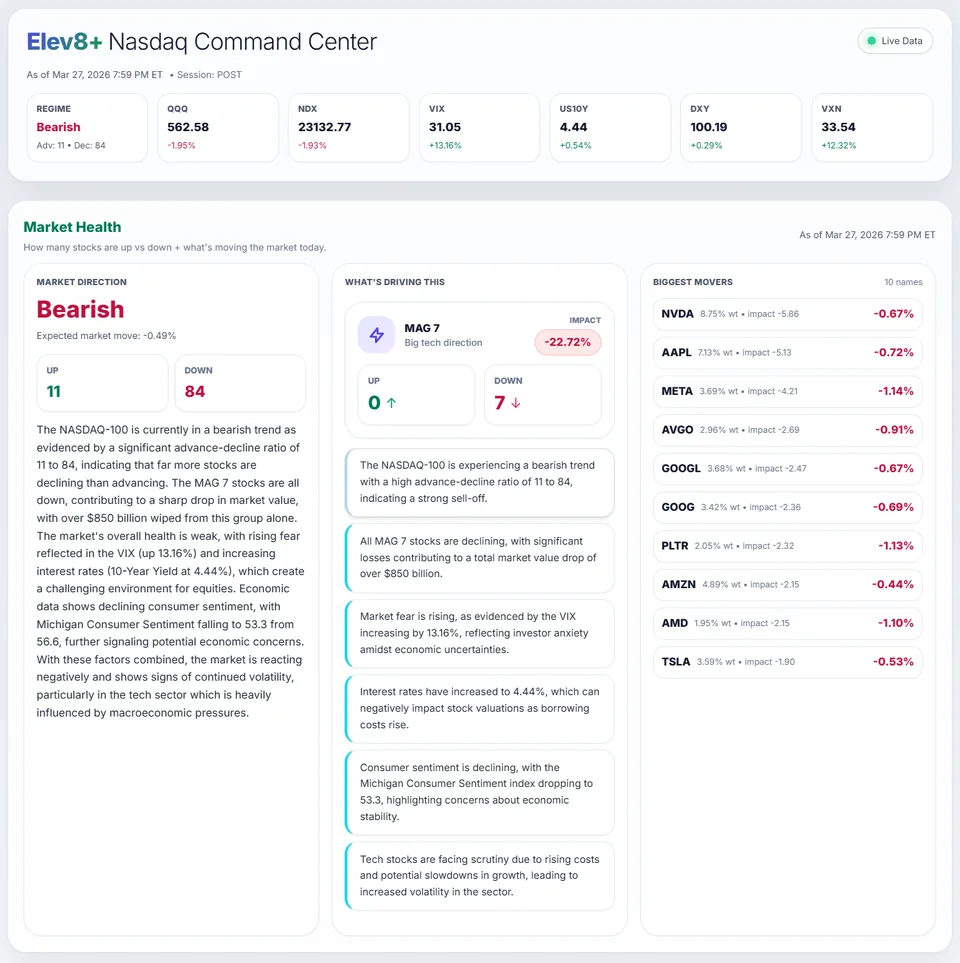
Archived Market Health interface example. Check the current dashboard's timestamp and session before using its data.
What You Will Learn
A search for NQ bias today should lead to current information, not an old bullish or bearish call. This page explains how to access and read the dashboard; it does not publish a live directional signal. Check the dashboard's session and update time, then compare the observations with your futures chart. If they disagree, that is information to investigate—not a reason to force a trade.
Looking for a different step? Build a Daily Market Bias: A Reusable Planning Checklist →
Work through these checks in order. The examples explain a process; they are not instructions to place a trade.
Go to Market Health and use the free Market Command account option. This guide remains readable without an account. A free account and a paid indicator or AutoTrader subscription are different things; signing up for the dashboard does not enable automated orders.
Check the displayed session and update time. Cash stocks and NQ futures have different trading sessions. Before the cash open, some stock readings may refer to an earlier session; do not assume every panel is a live premarket feed. Missing or stale data should remain an explicit gap in your plan.
Look at advancing and declining stocks and the larger Nasdaq constituents. Broad participation and a move concentrated in a few leaders describe different conditions. Neither supplies an entry price, but the comparison helps explain why an index can rise while many stocks are falling.
On your futures chart, mark the prior-day and overnight references you use. Write what would support continuation, what would invalidate that idea, and when you will stay out. Market context is one input; your setup, stop, and position size are separate decisions.
Imagine most tracked stocks are higher while NQ repeatedly fails to hold above a prior high. The dashboard does not cancel that price behavior. If your plan required acceptance above the level, the condition is missing. Waiting is consistent with the plan even when the broad label looks supportive.
A dashboard marked POST may be useful for reviewing the previous session. It is not proof of today's premarket direction. Separate the old observation from new futures price action and revisit the available readings after the relevant session starts.
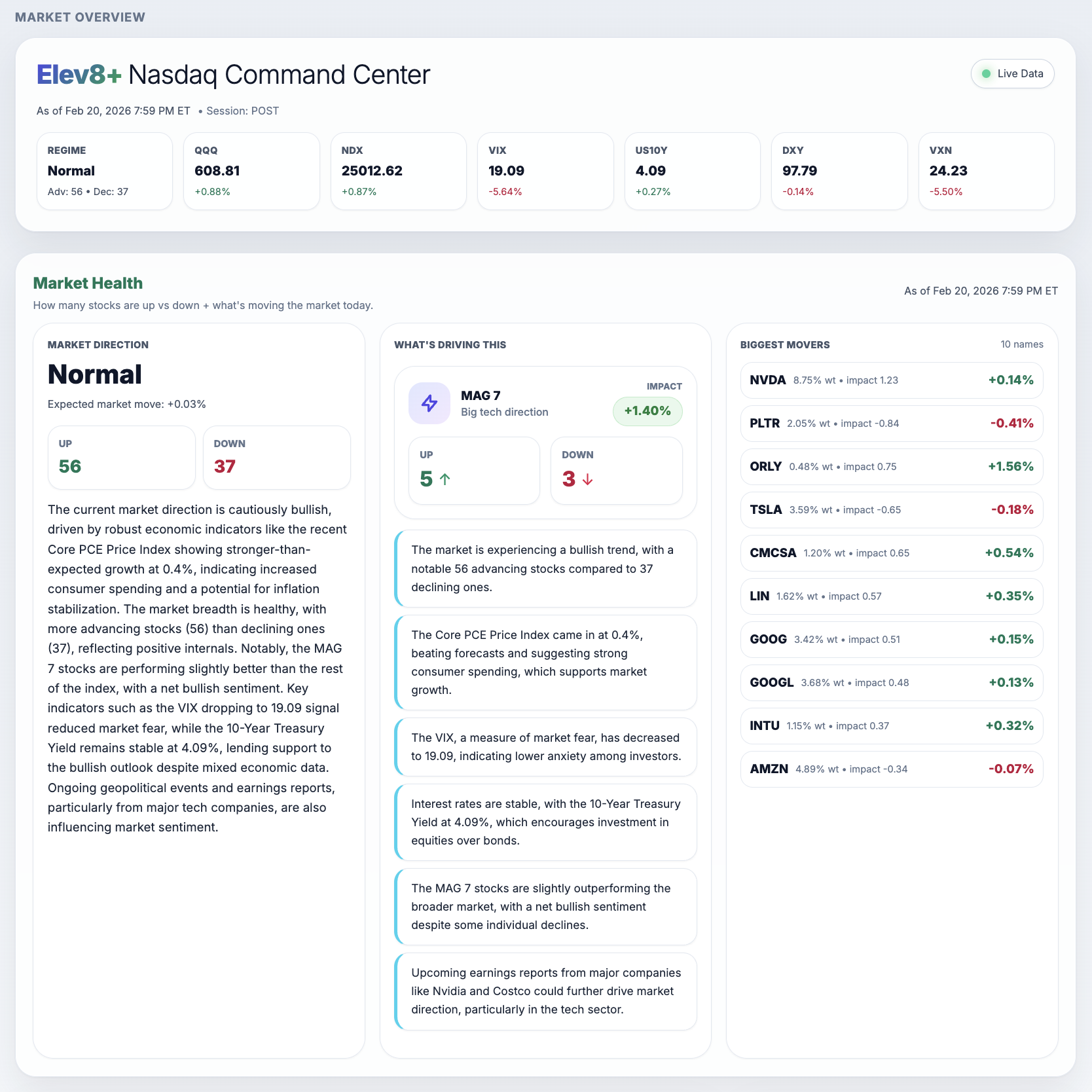
The POST label tells you this is not a premarket snapshot. Begin with that distinction before interpreting any market label.
The screenshot displays 11 stocks up and 84 down. Read those as the displayed tracked counts, not automatically the entire universe or proof of the next price move.
The MAG 7 and movers panels add context about participation and influence. The displayed impact and expected-move figures are model outputs, not guaranteed future returns.
Market Health brings Nasdaq market information into one dashboard. Use it to check your view against current conditions, not to outsource the decision to trade.
Published by Elev8+ Trading to explain trading concepts and our products. Elev8 sells the tools linked here; these guides are not independent product rankings or personalized financial advice. Chart examples illustrate a process, not audited trading results.
Dates identify substantive content updates, not a claim of independent expert review. Check current exchange, broker, and prop-firm rules before relying on a calculation. Ask a question or report a correction.
Next Step
Review conditions in Market Health, then use the free email course to learn about price levels, entry signals, and risk planning.
Daily context and level mapping
Lessons on planning and reviewing trades