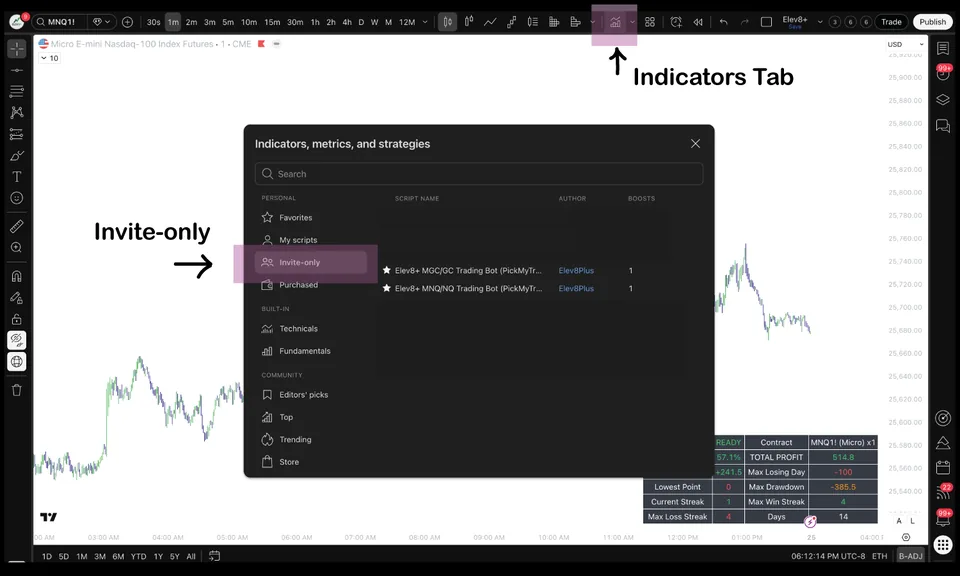
The Problem This Guide Helps You Solve
Seven tools should not mean seven competing instructions to trade. Build your chart around questions: Where is price? Is it extended? Has it reacted? What would confirm or invalidate the idea? Choose the overlays that help answer those questions, and leave out layers you cannot explain. The indicator suite supports discretionary chart analysis; AutoTrader handles a separate automated workflow.
How to use this in your workflow
Work through these checks in order. The examples explain a process; they are not instructions to place a trade.
Start with location
Market Map organizes session references and opening ranges. Reversal Blocks adds confirmed reaction zones and midpoint references for possible retests. Use these to decide where you want to observe price before looking for confirmation.
Assess extension and structure
Market Extremes provides exhaustion and trend context. VWAP Deviation places price relative to volume-weighted value. Real FVG focuses on gaps associated with a strong move and structure break, while Momentum Gaps offers broader imbalance and impulse-zone mapping.
Check confirmation and define risk
Elev8+ Pro highlights level reactions and confirmation markers. Combine that information with the location you selected and your own invalidation rule. Several agreeing overlays do not replace a position-size calculation or a planned exit.
Practice a smaller workflow first
Watch the demo, choose the tools that answer your current questions, and review examples in simulation. Keep a record of both failed and successful ideas. Add another layer only when you can describe what useful information was missing.
Examples and limits
A location-first chart review
Suppose price reaches a session level marked by Market Map. You might use extension context to assess the move and then inspect the reaction with Pro. That is a sequence of different questions—not a rule that any three colored signals create a trade.
When fewer tools are clearer
If two overlays are both describing the same price impulse, their agreement may not be independent evidence. Remove a layer if it makes the decision harder to explain. The goal is a reviewable plan, not the maximum number of drawings.
Common Execution Mistakes To Avoid
-
Counting repeated information as independent confirmation.
-
Changing the whole chart after one losing trade.
Watch the public demo, explore the individual tool guides below, and review the current plans on the indicator suite page. The free email lessons provide a slower introduction without starting a paid subscription.
Related Guides
-
Elev8+ Pro: Reading Levels, Sweeps and Confirmation
Learn how Elev8+ Pro connects key levels, liquidity sweeps, and confirmation markers—and why a location alert is not automatically a trade entry.
-
Market Map: Session Levels and Opening Ranges
See how Elev8+ Market Map organizes session highs and lows, previous-day levels, and opening ranges so you can plan locations before looking for an entry.
-
Real FVG: Structure Breaks and Gap Retests
Learn how Elev8+ Real FVG connects a fair value gap to a strong move and a break of a prior swing, then uses that area to frame possible pullback entries.
-
Elev8+ AutoTrader Explained: Strategy, Setup and Control
Understand the steps between an AutoTrader strategy signal and a broker order, what you control, and what to check before enabling automated trading.
Further Reading
About this guide
Published by Elev8+ Trading to explain trading concepts and our products. Elev8 sells the tools linked here; these guides are not independent product rankings or personalized financial advice. Chart examples illustrate a process, not audited trading results.
Dates identify substantive content updates, not a claim of independent expert review. Check current exchange, broker, and prop-firm rules before relying on a calculation. Ask a question or report a correction.