The Problem This Guide Helps You Solve
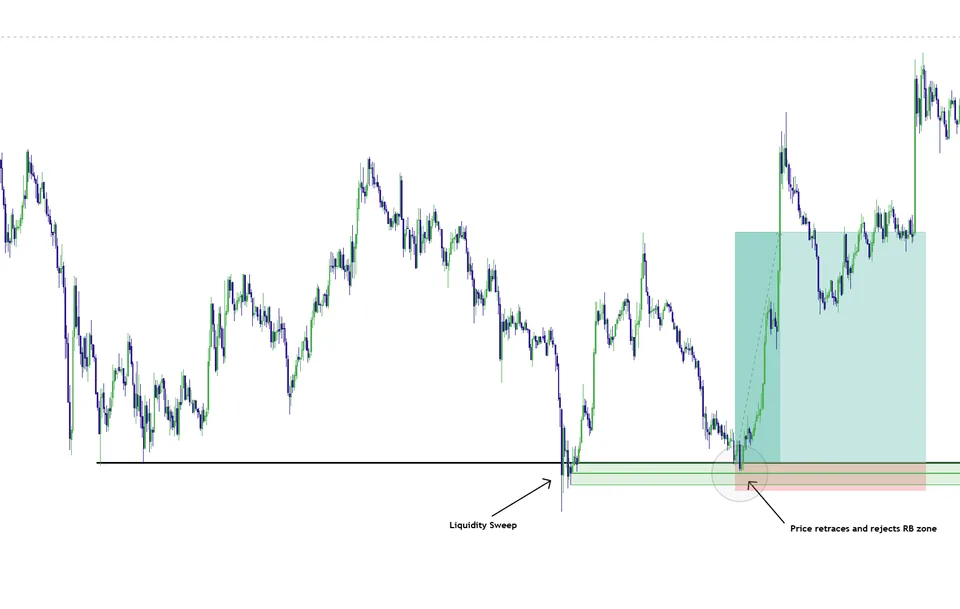
Reversal Blocks organizes zones where price has shown a confirmed reaction and highlights the zone midpoint, also called CE. This provides a location for studying a later retest. It differs from drawing a rectangle around any candle and assuming that the area will always act as support or resistance.
How to use this in your workflow
Work through these checks in order. The examples explain a process; they are not instructions to place a trade.
Understand why the zone is present
Read the product tutorial and inspect the price sequence that produced the zone. The marked reaction is historical evidence about that area, not proof that a future visit will behave the same way.
Watch the retest instead of anticipating it
If price returns, compare the reaction near the zone edge and midpoint with your entry criteria. A midpoint is a reference inside the zone; it does not independently confirm that buyers or sellers will defend it.
Identify a failed zone
Define what acceptance through the area would mean for your idea. If the reaction you expected does not occur, review the failed setup rather than repeatedly using the same rectangle to justify another entry.
Examples and limits
A hypothetical chart-reading example
A marked reaction zone is revisited after price moves away. A rejection near its midpoint is one sequence to study; sustained trading through the far edge is another. Record which sequence occurred and whether your planned conditions were met.
What this tool cannot tell you
A confirmed historical reaction does not make a future retest certain. Zones can fail, overlap, or become less relevant as the session changes. Neither the zone width nor the midpoint guarantees an appropriate stop distance.
Common Execution Mistakes To Avoid
-
Treating a historical example as a promised future outcome.
-
Adding a tool without understanding which decision it supports.
See where Reversal Blocks fits into the Elev8+ workflow, then compare the current indicator plans on the suite page. Start with the free lessons if you want more explanation before deciding.
Related Guides
-
The Elev8+ Indicator Suite: What Each Tool Does
Compare the roles of Elev8+ Pro, Market Map, Market Extremes, VWAP Deviation, Reversal Blocks, Real FVG, and Momentum Gaps before building your chart.
-
TradingView Order Blocks: Zones, Retests and Limits
An order-block indicator highlights zones using a defined price pattern. Treat those zones as areas to investigate, not proof of institutional orders or guaranteed support.
-
Elev8+ Pro: Reading Levels, Sweeps and Confirmation
Learn how Elev8+ Pro connects key levels, liquidity sweeps, and confirmation markers—and why a location alert is not automatically a trade entry.
Further Reading
About this guide
Published by Elev8+ Trading to explain trading concepts and our products. Elev8 sells the tools linked here; these guides are not independent product rankings or personalized financial advice. Chart examples illustrate a process, not audited trading results.
Dates identify substantive content updates, not a claim of independent expert review. Check current exchange, broker, and prop-firm rules before relying on a calculation. Ask a question or report a correction.