The Problem This Guide Helps You Solve
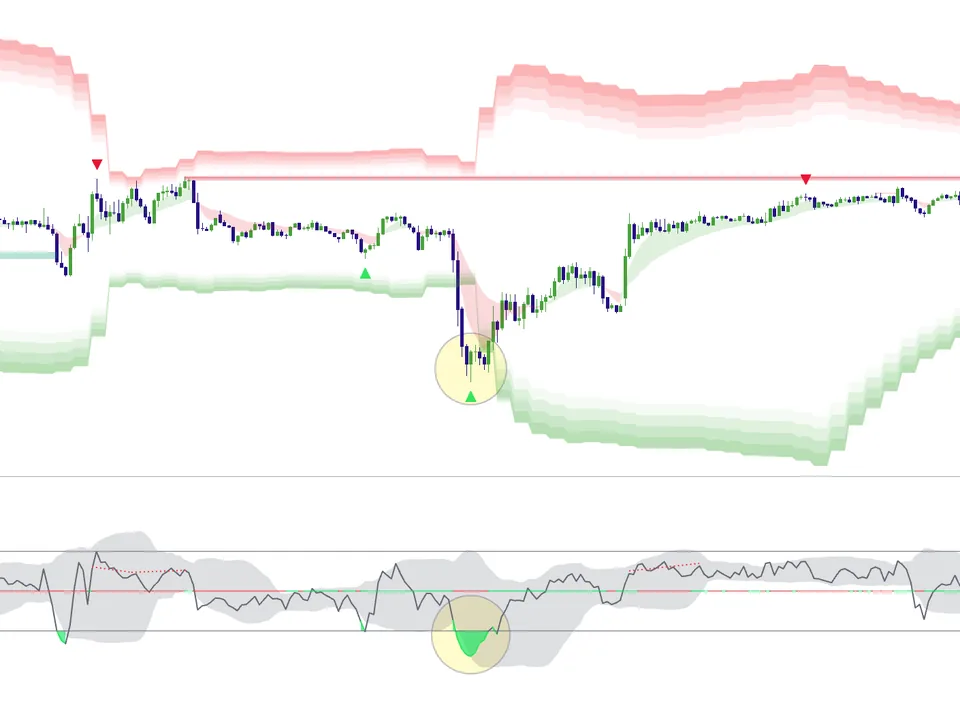
A chart full of zones can make it harder to choose a setup. Use a consistent definition and check each zone against price action and your risk rules.
Order Block Workflow
Work through these checks in order. The examples explain a process; they are not instructions to place a trade.
1. Zone Qualification
Filter for high-quality blocks tied to meaningful displacement.
2. Context Check
Align zone behavior with session structure and bias.
3. Entry Trigger
Take entries only after reaction confirms your setup model.
Order Block Scenarios
Trend Pullback Retest
Qualified order block retest holds and continuation confirms.
Weak Zone in Chop
Noisy, low-context zone fails and is filtered as no-trade.
Common Execution Mistakes To Avoid
-
Treating every plotted zone as high quality.
-
Entering without session-context alignment.
-
Using overly tight stops around volatile retests.
Compare your zone-analysis routine with the tools shown in the Elev8+ demo. This guide covers a general chart concept; review the actual suite before assuming it includes a specific order-block feature.
Related Guides
-
The Elev8+ Indicator Suite: What Each Tool Does
Compare the roles of Elev8+ Pro, Market Map, Market Extremes, VWAP Deviation, Reversal Blocks, Real FVG, and Momentum Gaps before building your chart.
-
ICT-Style TradingView Indicators: Make the Rules Clear
Liquidity sweeps, fair value gaps, and order blocks describe different chart patterns. Define the pattern and test a repeatable entry and exit rule for each one.
-
TradingView Fair Value Gaps: Identify and Review Zones
A fair value gap describes a three-candle price imbalance. Learn how to review its location and later price reaction without assuming the gap must fill.
-
TradingView Liquidity Sweeps: Read the Signal in Context
A sweep indicator flags moves through prior highs or lows. Check whether price returns through the level or continues beyond it before interpreting the signal.
Further Reading
About this guide
Published by Elev8+ Trading to explain trading concepts and our products. Elev8 sells the tools linked here; these guides are not independent product rankings or personalized financial advice. Chart examples illustrate a process, not audited trading results.
Dates identify substantive content updates, not a claim of independent expert review. Check current exchange, broker, and prop-firm rules before relying on a calculation. Ask a question or report a correction.