Who This Is For
- Traders who want one practical daily workflow for context, bias, and setup selection.
- Anyone reducing tool overload and standardizing morning prep.
- Traders who want a preparation checklist rather than a prediction.
NQ Scanner
A scanner flags conditions worth reviewing. Check the alert's timing, nearby price levels, and your entry rules before treating it as a trade idea.
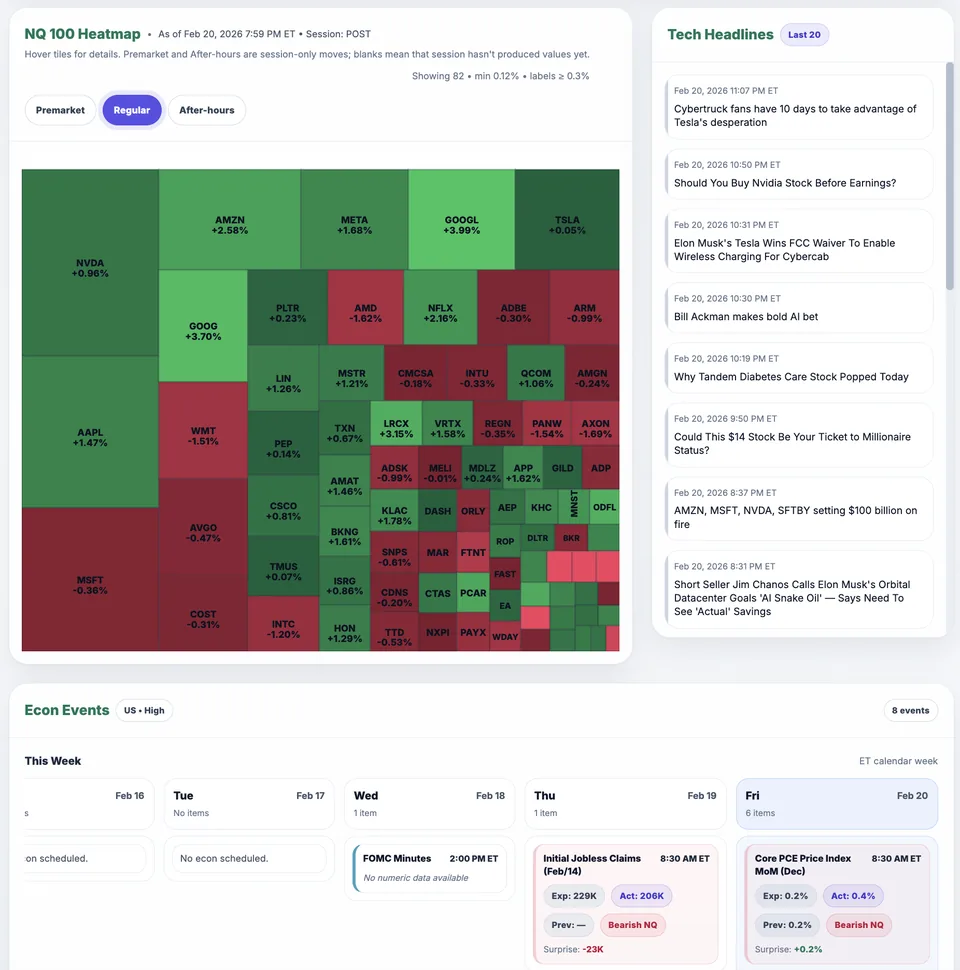
Nasdaq heatmap panel showing breadth and leadership pressure.
What You Will Learn
Frequent alerts can encourage trading without a plan. Define what makes an alert worth reviewing and what would rule it out.
Work through these checks in order. The examples explain a process; they are not instructions to place a trade.
Collect scanner signals into a watchlist, not direct entries.
Pass only alerts aligned with market regime and key levels.
Execute only after your setup trigger confirms.
Signal aligns with context and becomes a valid setup candidate.
Signal conflicts with regime context and is ignored.
Use Market Health alongside your scanner to check the broader market picture. A scanner alert and a dashboard summary are inputs to review, not instructions to place an order.
Want to see analysis on your chart? Watch the Elev8+ indicator walkthrough to compare the separate TradingView subscription.
Published by Elev8+ Trading to explain trading concepts and our products. Elev8 sells the tools linked here; these guides are not independent product rankings or personalized financial advice. Chart examples illustrate a process, not audited trading results.
Dates identify substantive content updates, not a claim of independent expert review. Check current exchange, broker, and prop-firm rules before relying on a calculation. Ask a question or report a correction.
Next Step
Review conditions in Market Health, then use the free email course to learn about price levels, entry signals, and risk planning.
Daily context and level mapping
Lessons on planning and reviewing trades