See Elev8+ in action
See the setup. Build your trading plan.
See how seven TradingView indicators help you identify key levels, evaluate price reactions, and plan an entry with defined risk. Follow the walkthrough, then explore the tools on your own charts. You choose which trades to take.
$0 for 7 days, then $59/month. Cancel before the trial ends to avoid the charge. TradingView account required.
Elev8+ is an educational charting and analysis tool. It does not provide financial advice.
Add the same layout to your own charts.
Unlock the full Elev8+ suite on TradingView. The free trial lets you study the same sweeps, zones, and structured ideas shown in the demo—plus additional indicators for session context, overextension, and imbalance mapping—directly on your own markets and timeframes.
No long-term contracts. Cancel before the trial ends if it is not a fit. Access is delivered via TradingView invite-only script.
- Helps you study liquidity sweeps and common “fakeout” areas.
- Uses clear, non-repainting visuals instead of confusing chart clutter.
- Works on futures, indices, FX, and other liquid markets.
1. BiasCheck the session before entering
2. LocationMark key highs and lows
3. ResponseWait for rejection or acceptance
4. ConfirmLook for an entry confirmation
5. RiskKnow where you are wrong before entry
Included Suite
Seven tools for location, extension, structure, reaction, and execution
7-day trial
Cancel anytime before the trial ends
How access works
Invite-only TradingView scripts
Use on any market
Futures, indices, FX, large-caps
One example, from context to decision
A signal is one piece of the plan.
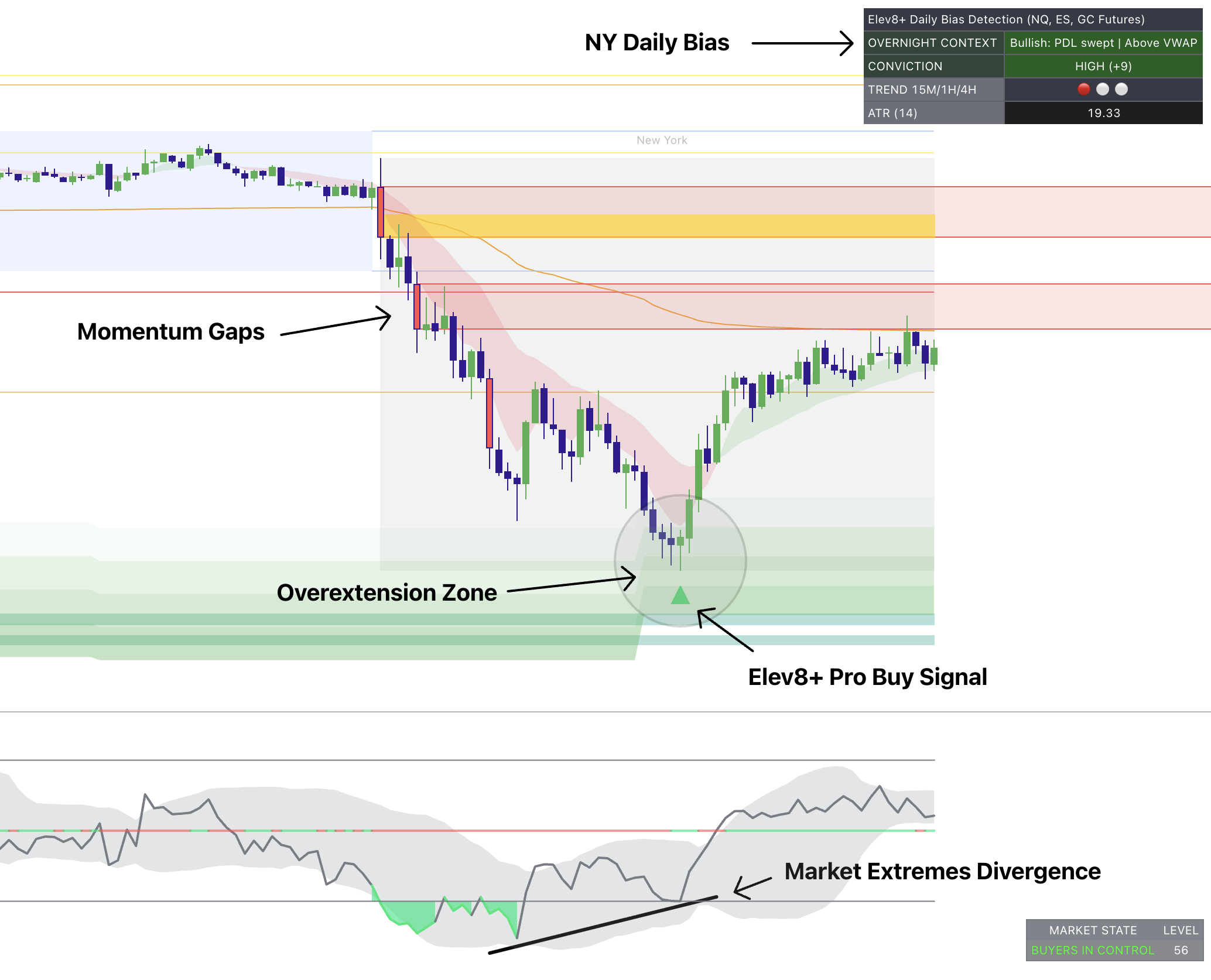
- 1. Find the locationUse mapped levels and extension zones to identify where you want to pay attention. A zone alone is not an entry.
- 2. Check the reactionWatch how price behaves there. Use Pro and the supporting tools to compare the reaction with your own entry rules.
- 3. Define the risk—or skipBefore entering, identify what would invalidate the idea and what you are prepared to lose. If the reaction or risk does not meet your plan, take no trade.
For traders who make their own decisions in TradingView. Need software that places orders? Explore AutoTrader separately.
Included with your subscription
One trading framework. Seven specialized indicators. Built to work together.
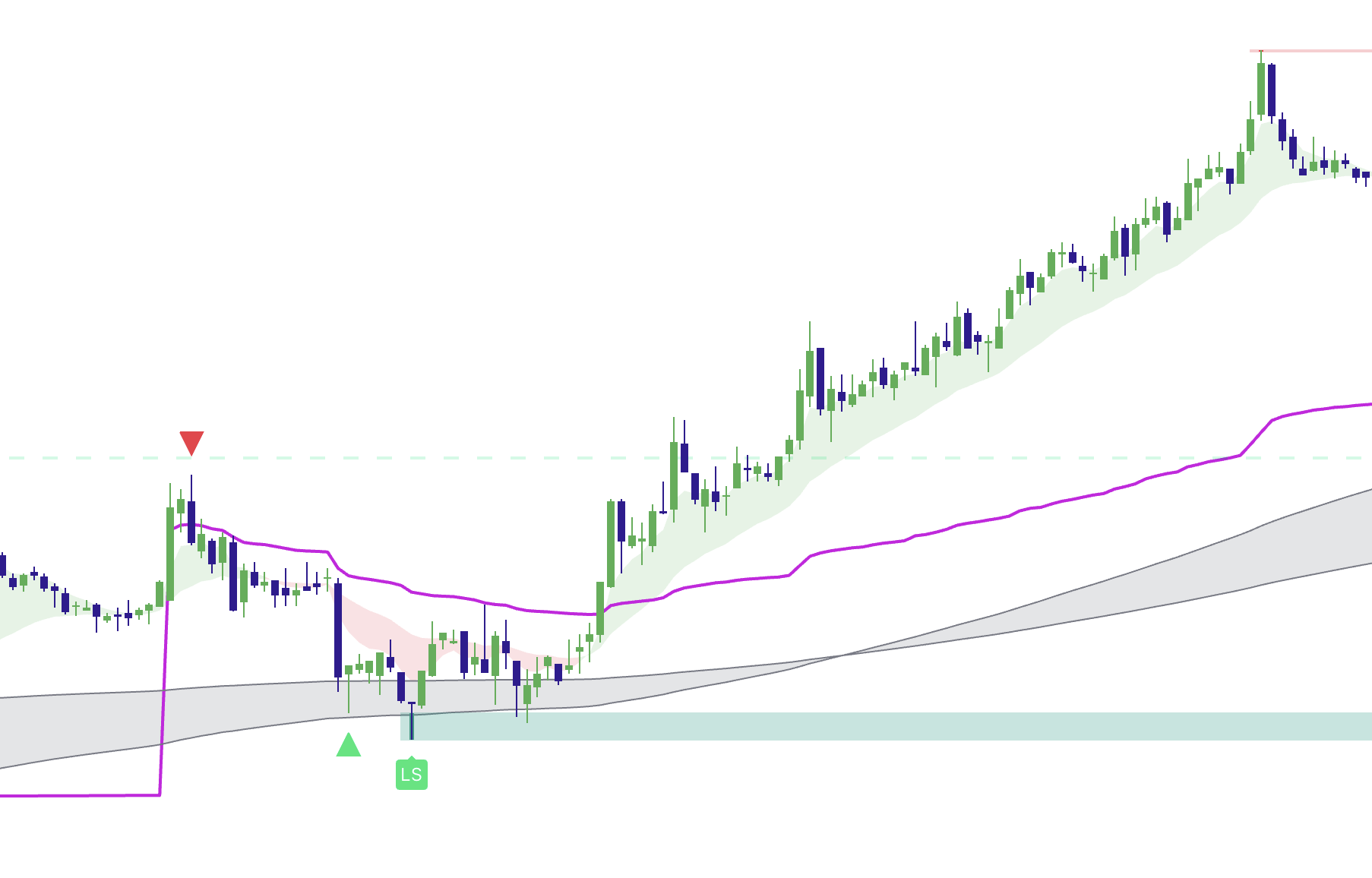
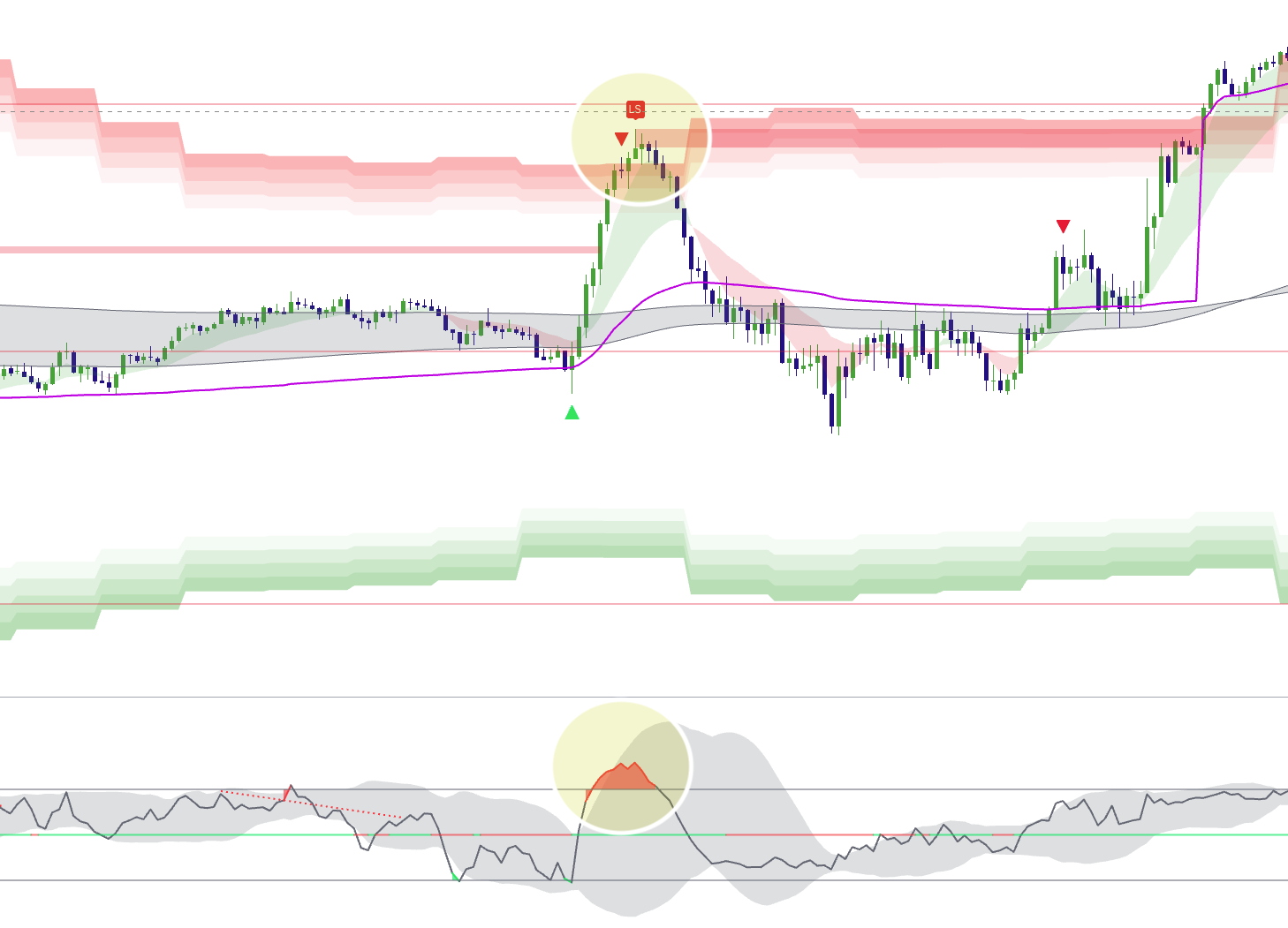
Elev8+ Pro highlights entry confirmations. The other tools help you mark session levels, measure stretched prices, and study possible reversals or pullbacks—so each tool answers a different question.
The six tools below each answer a different question about the chart. The seventh, Momentum Gaps, adds price-gap and reaction-zone mapping.
No long-term contracts.
The Elev8+ decision framework
Each indicator answers one part of the process. You do not need every tool on every trade.
Suite overview
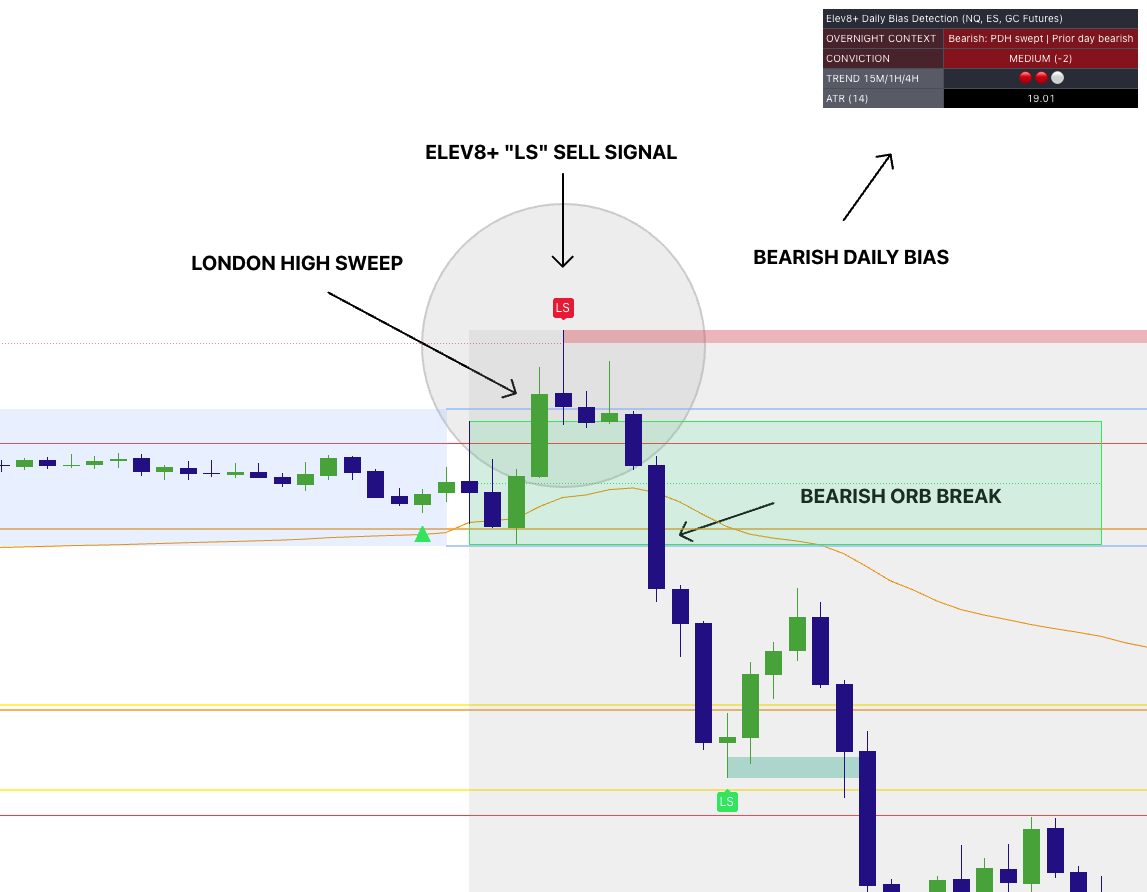
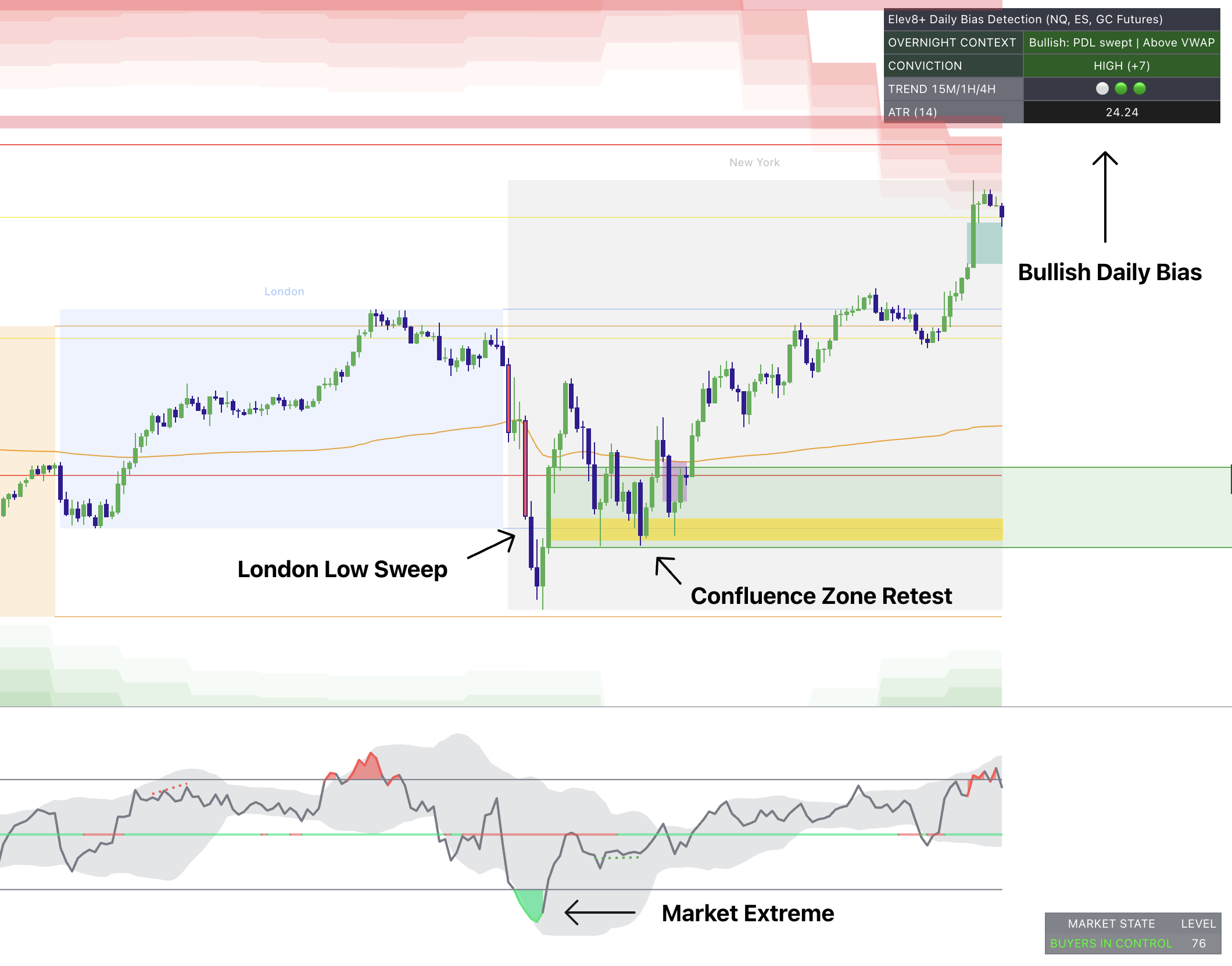
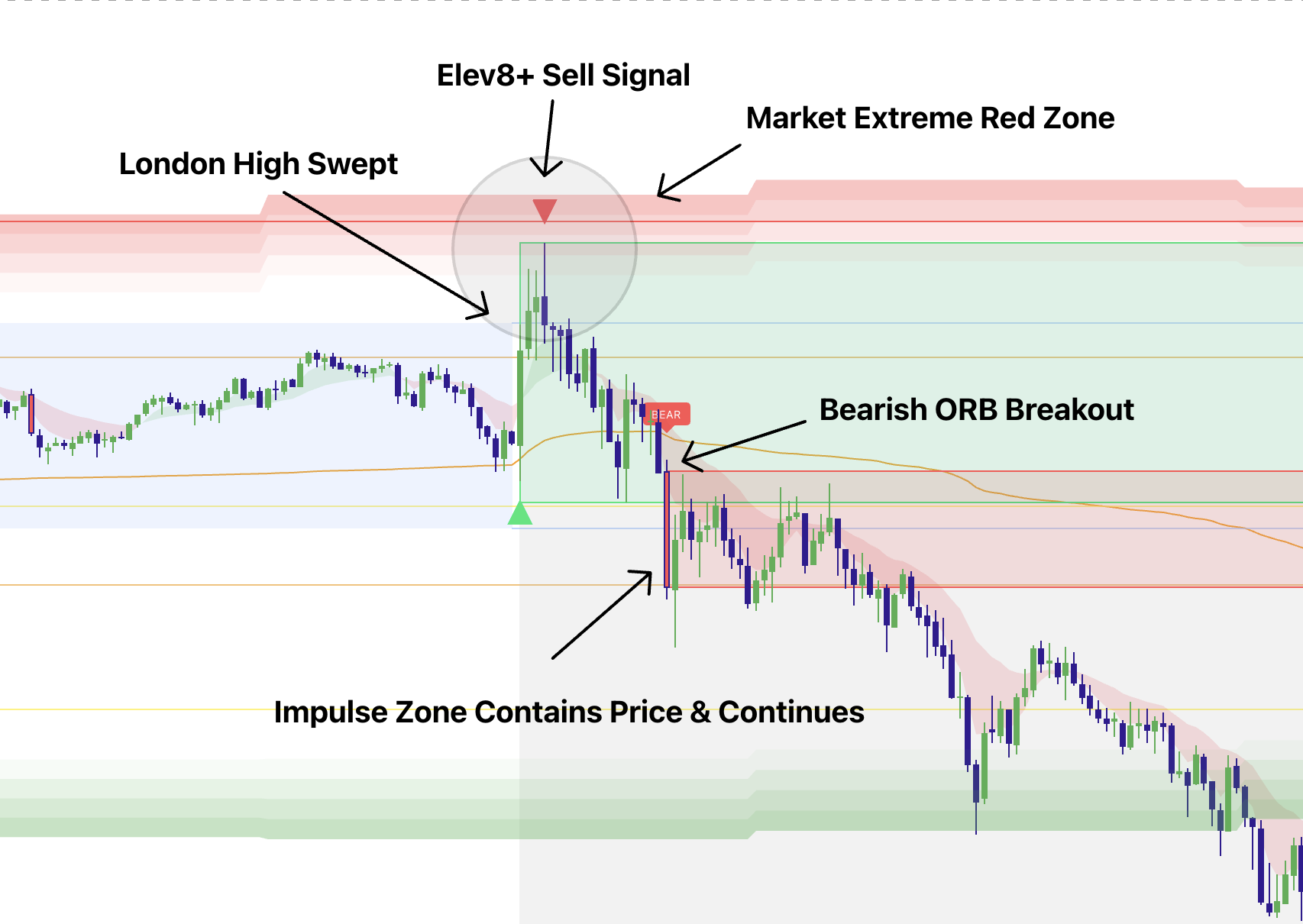
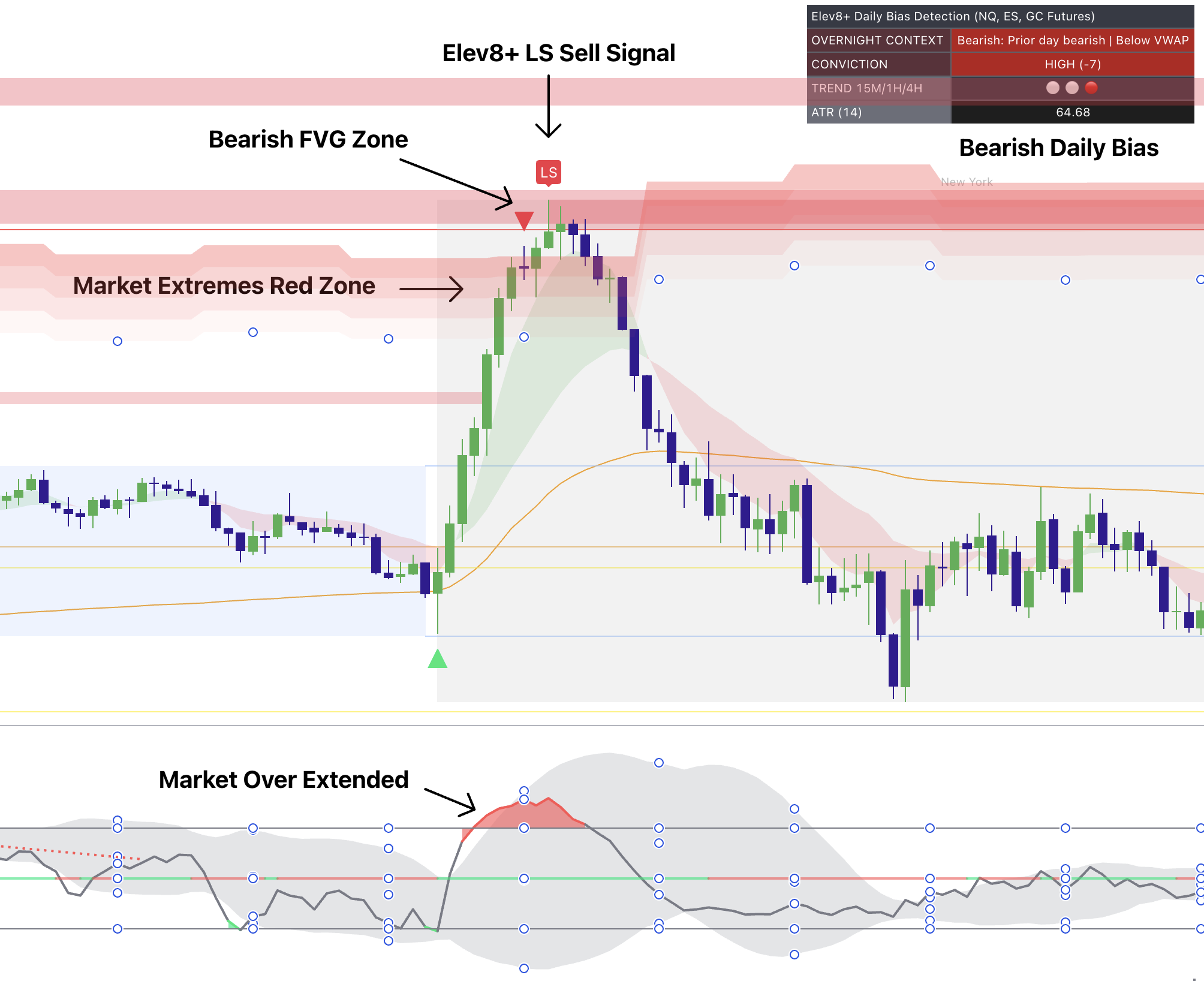

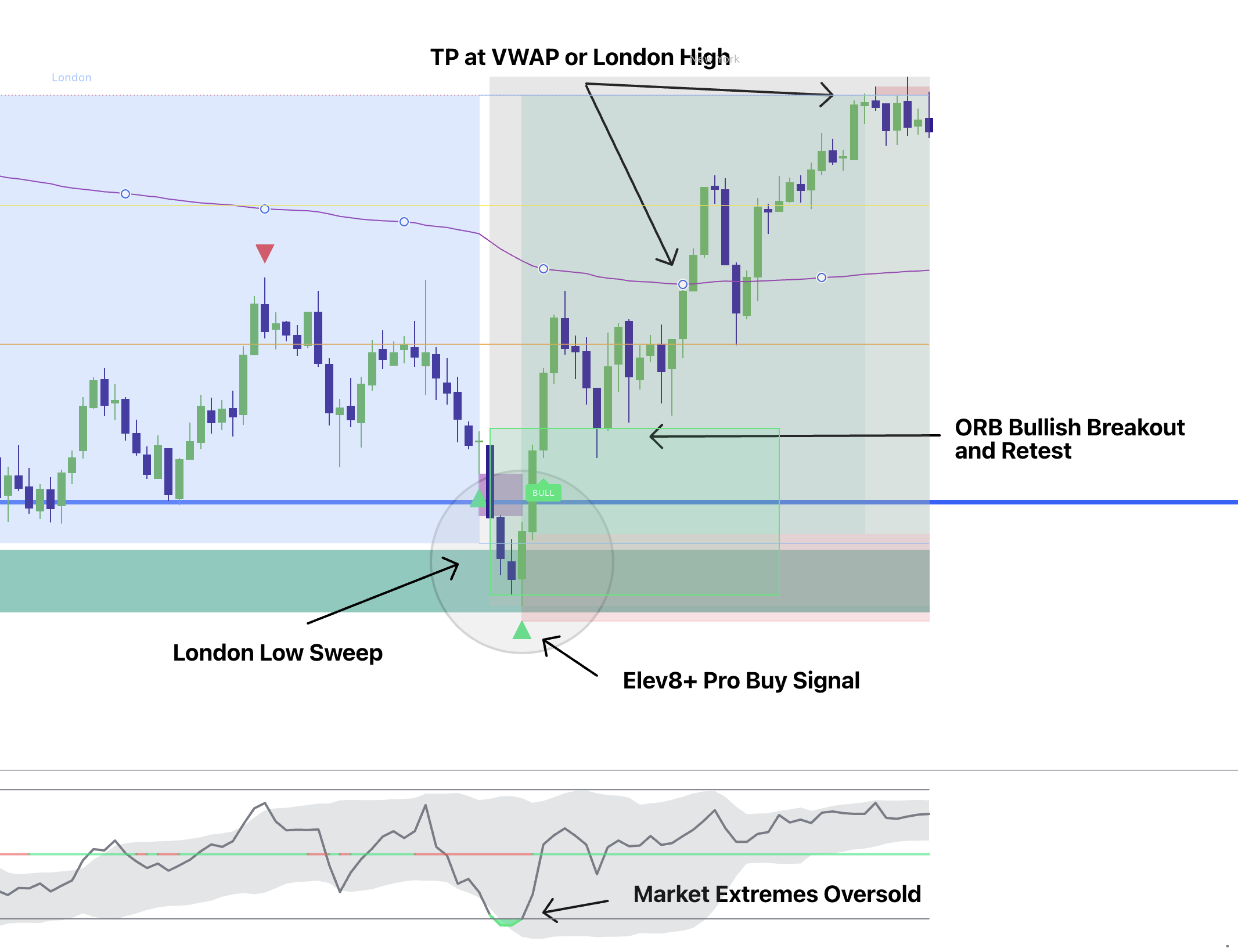
Tip: On mobile, swipe left/right on the image. On desktop, use arrows or dots.
1
Execution & Confirmation
Elev8+ Pro
Did price react at a key level and meet your entry rules?
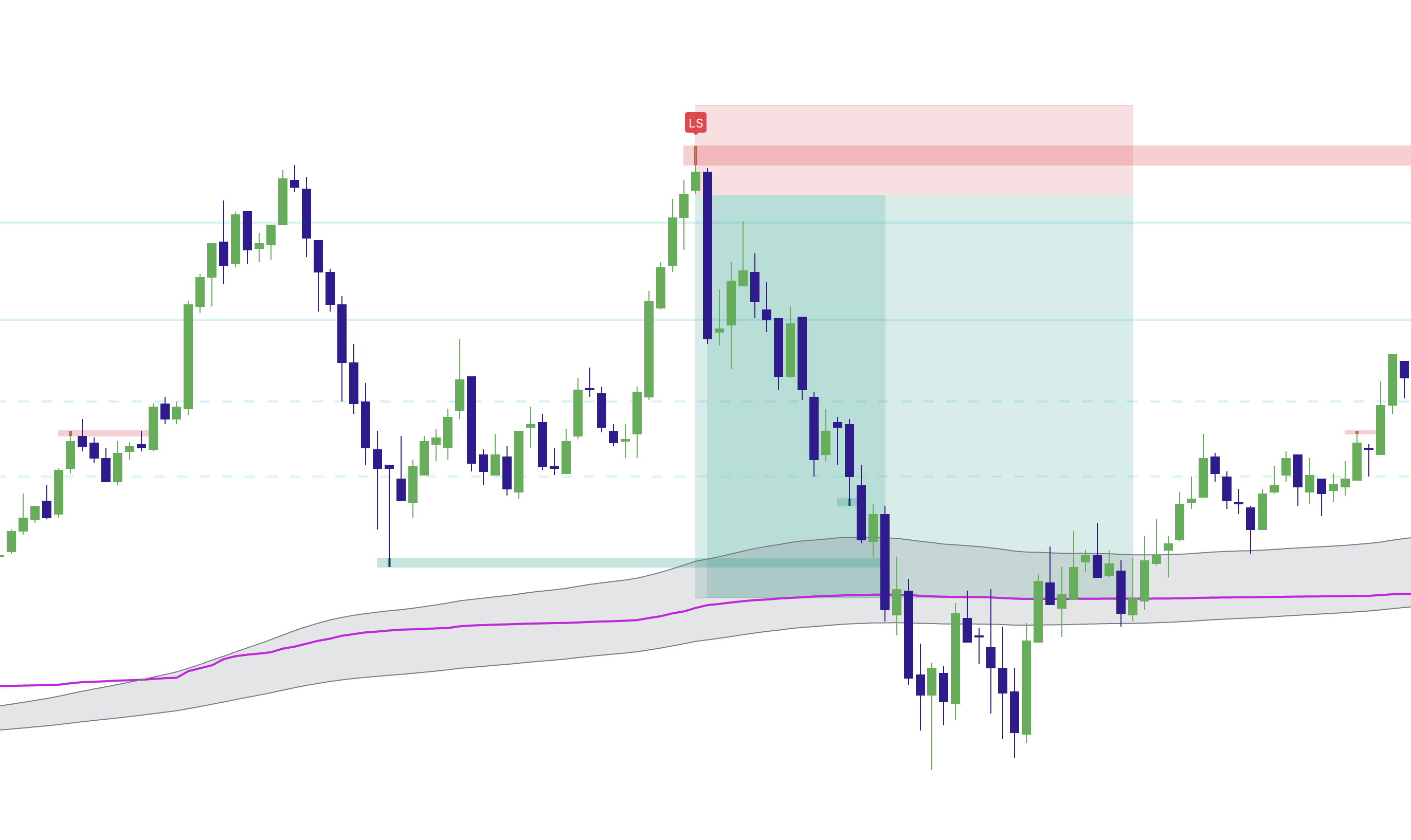
Marks key levels and highlights candles that reject them, helping you decide whether a possible entry meets your rules.
- ✓Study liquidity sweeps and failed continuation
- ✓Separate a location alert from stronger execution confirmation
- ✓Use trend context and non-repainting signals to reduce impulsive entries
2
Location & Session Context
Market Map
Where are the session highs, lows, and opening ranges?
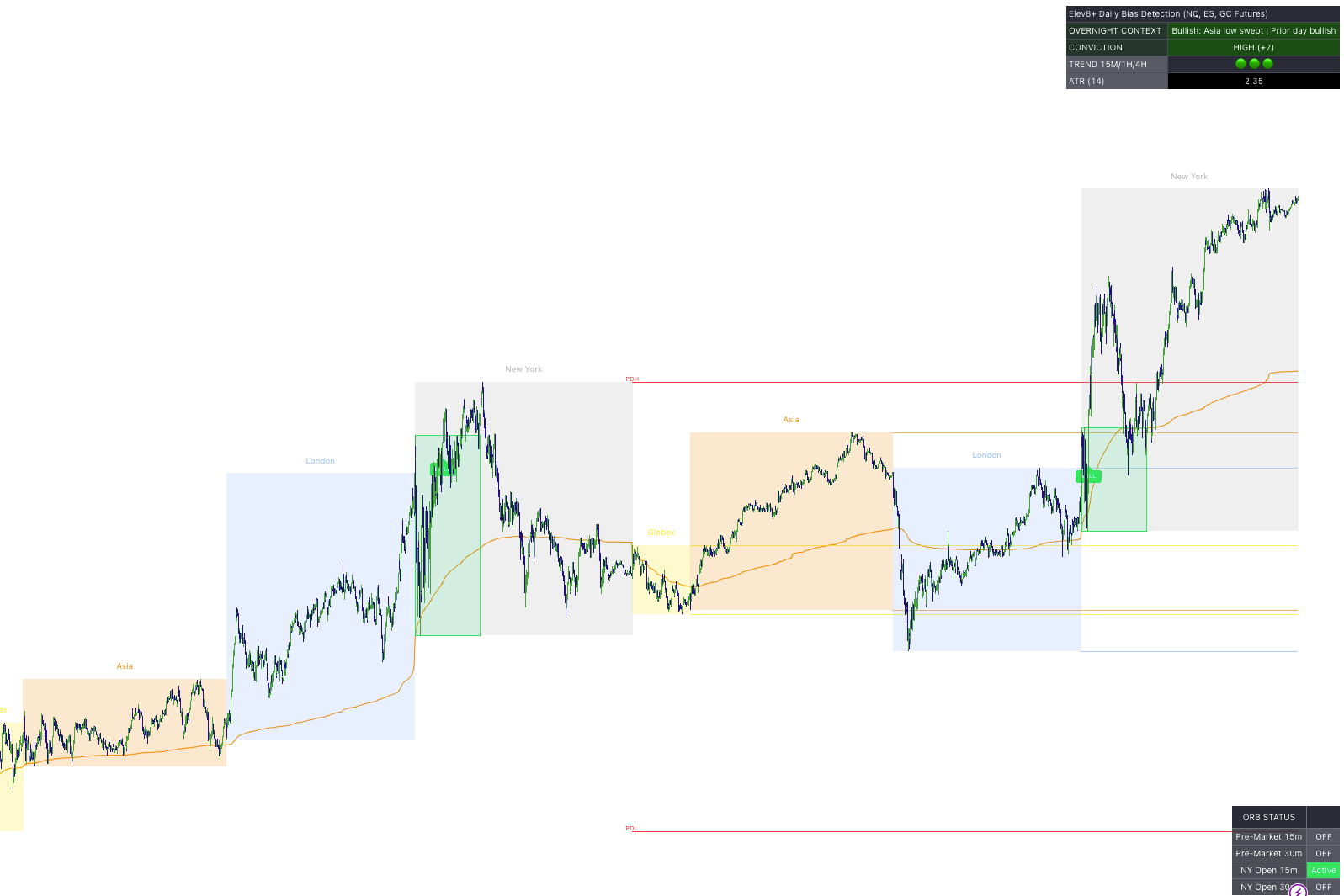
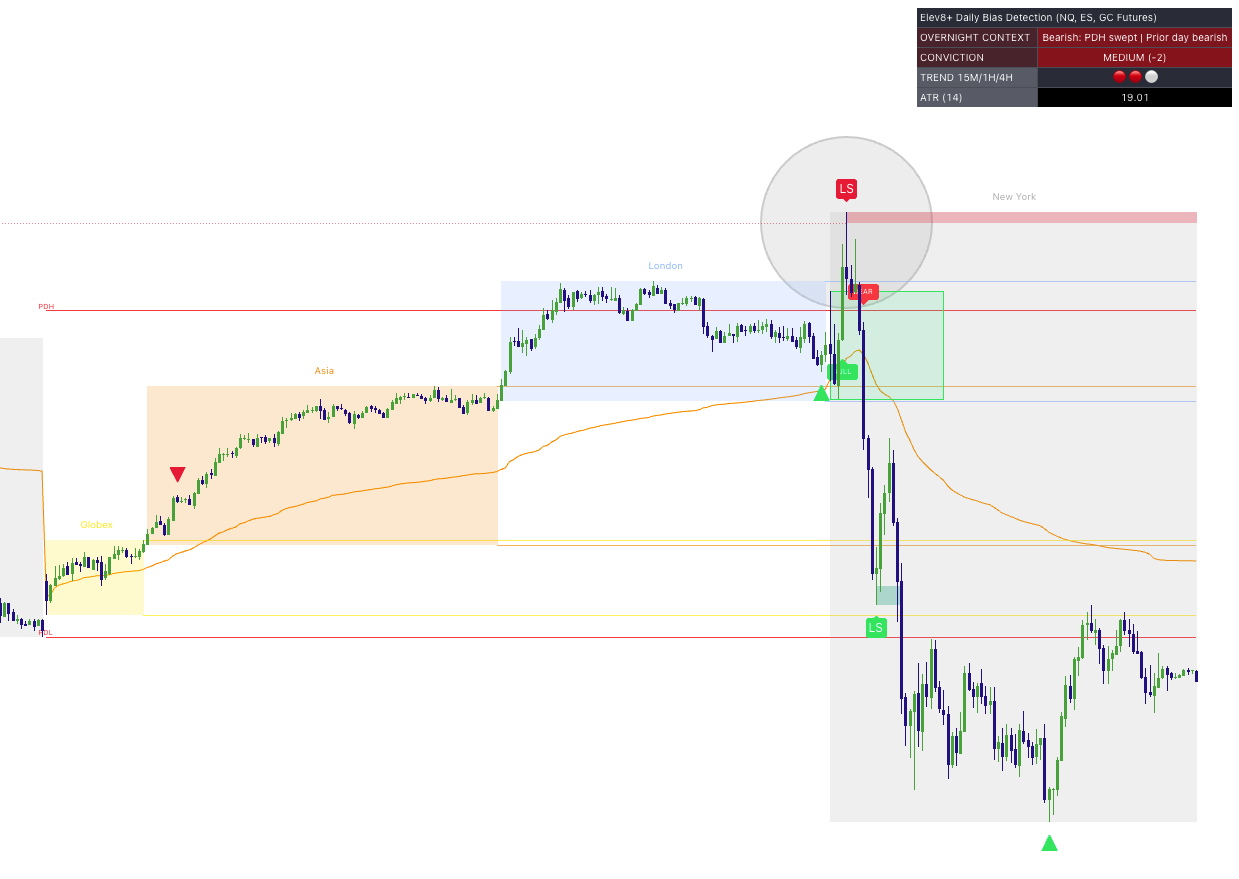
Organizes session levels, the previous day’s high and low, and opening ranges so you can plan where to watch for a trade.
- ✓Map overnight and regular-session liquidity
- ✓Plan around opening ranges and daily structure
- ✓Begin with context before searching for an entry
3
Exhaustion & Regime
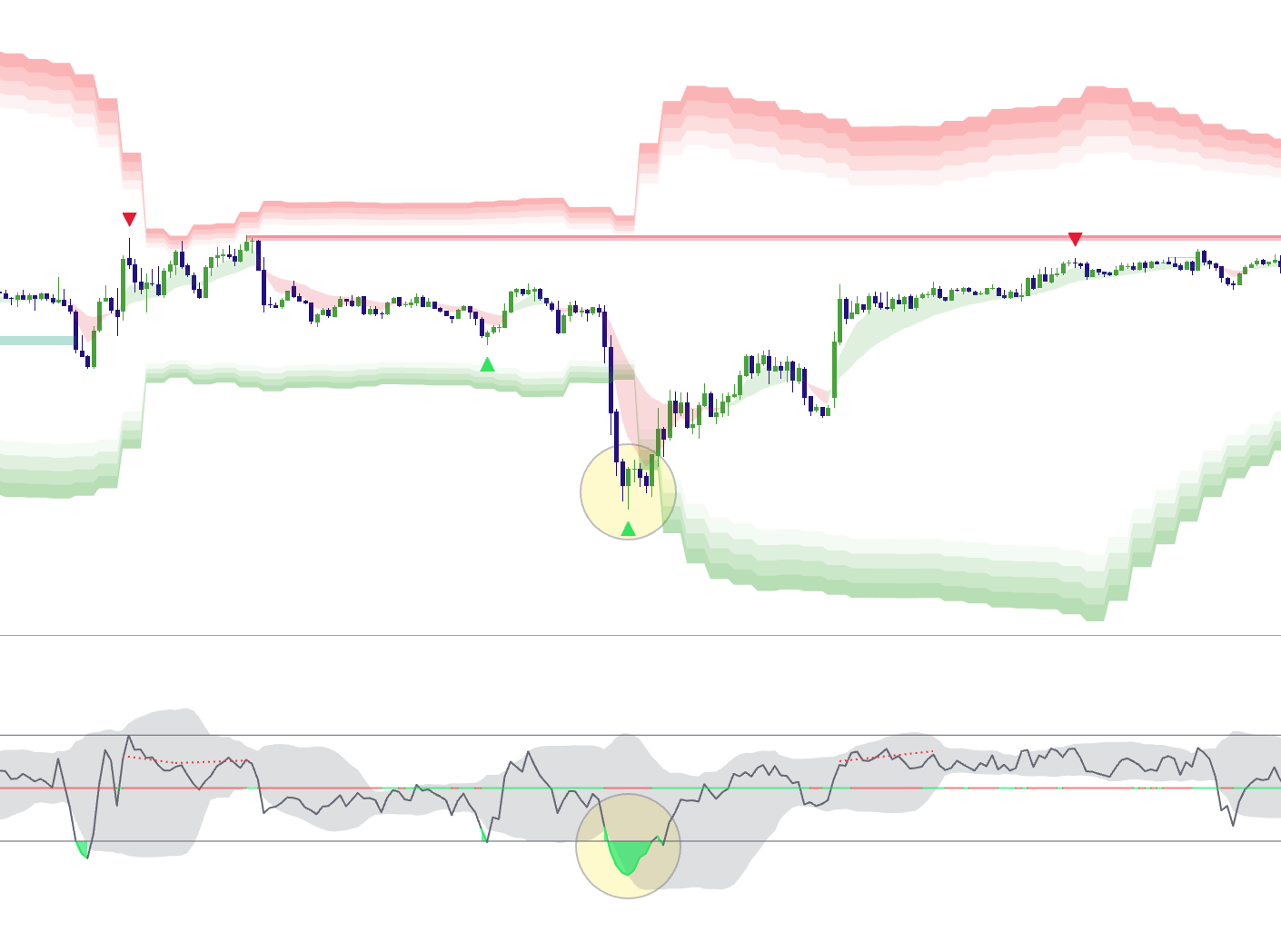
Market Extremes
Is price stretched, exhausted, or still behaving like a strong trend?
Highlights stretched prices and helps you judge whether momentum is fading or the trend is continuing.
- ✓Identify statistically stretched conditions
- ✓Compare exhaustion with the surrounding trend regime
- ✓Use divergence and confluence instead of fading every extreme
4
Extension From Value
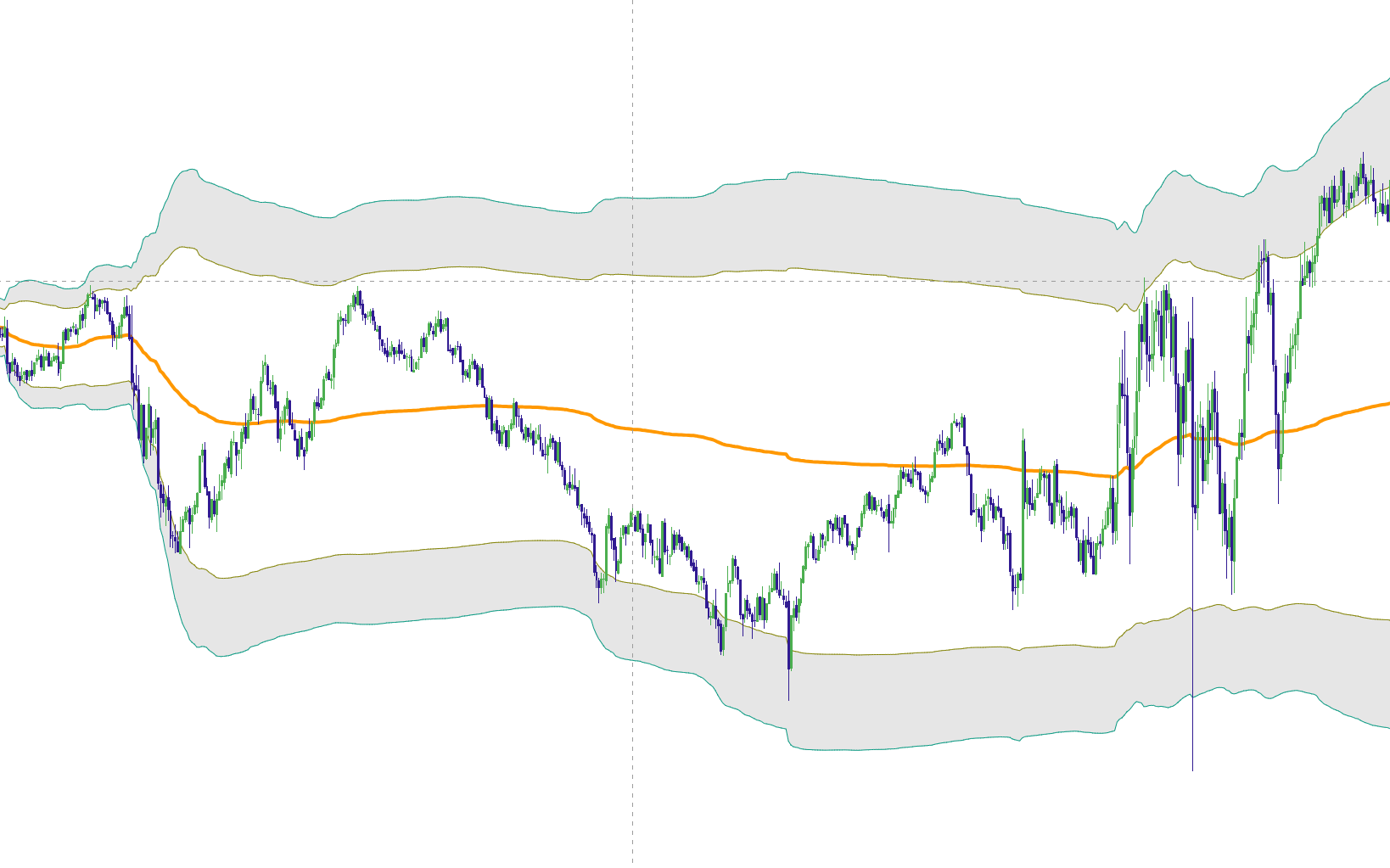
VWAP Deviation
How far is price from VWAP, and is it moving back toward the average?
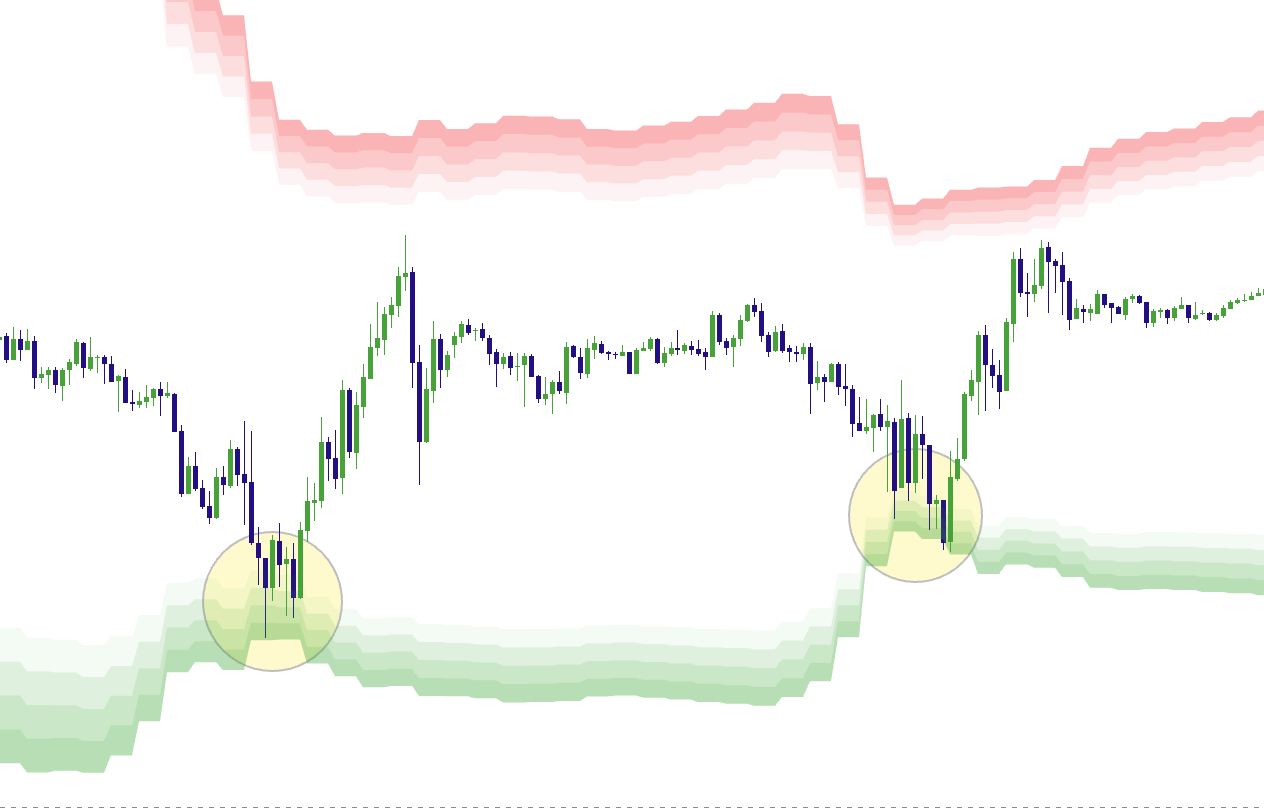
Shows how far price is from volume-weighted average price (VWAP) and whether it is returning toward the average or continuing away from it.
- ✓Frame value, extension, and mean-reversion potential
- ✓Distinguish rejection from trend acceptance
- ✓Combine deviation with liquidity and reaction-zone context
5
Reaction Zones & Midpoint Retests
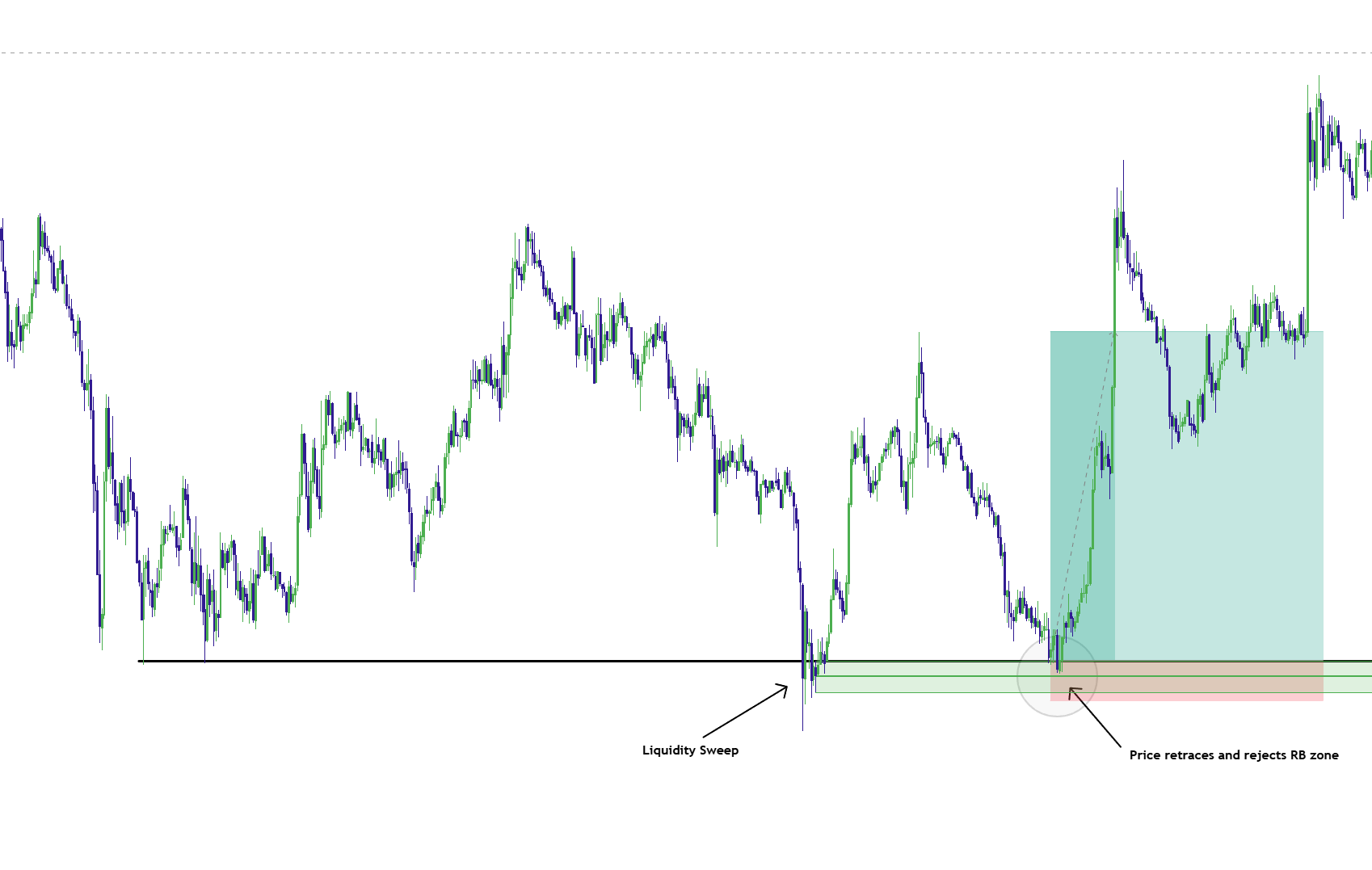
Reversal Blocks
Where did price react, and what happens if it returns to that zone?
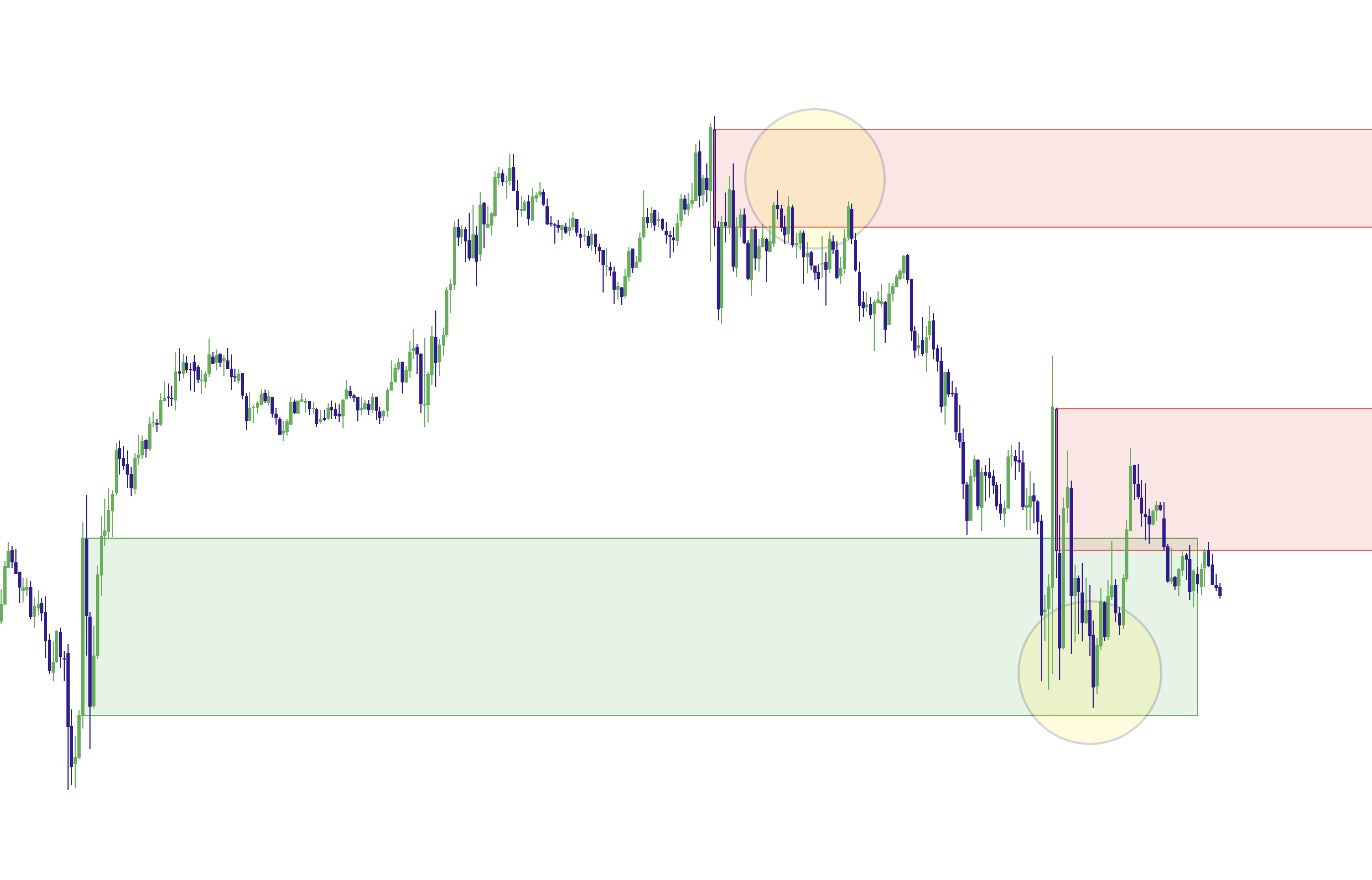
Marks zones where price has shown a confirmed reaction and highlights each zone’s midpoint (CE). Use the zones to plan possible retests and identify where a trade idea would fail.
- ✓Require a zone to prove relevance before using it
- ✓Use the zone midpoint (CE) to plan a retest
- ✓Identify the price that would invalidate your trade idea
6
Structure-Validated Continuation
Real FVG
Did a strong move break a prior swing high or low and leave a price gap?
Highlights price gaps that follow a strong move and a confirmed break of a previous swing high or low. Use those areas to study possible pullback entries.
- ✓Require meaningful displacement and a structure break
- ✓Map pullbacks and retests of the gap midpoint
- ✓Reduce the clutter created by unqualified fair value gaps
How the framework works together
One process—not seven competing signals.
Market Map identifies location and session context.
Market Extremes + VWAP Deviation measure exhaustion and extension.
Reversal Blocks organize validated reaction and retest zones.
Real FVG highlights gaps formed after a break of a prior swing high or low.
Elev8+ Pro highlights candles that meet its entry-confirmation rules.
Momentum Gaps adds broader imbalance, impulse-zone, and order-block mapping.
Use the tool that answers your current question. Watch whether price turns away from a level or holds beyond it, then check the setup against your entry and risk rules.
Highlight feature
Daily NY Bias Dashboard (Market Map)
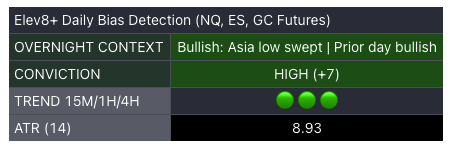
A quick-glance daily planning dashboard designed to support consistency and review—not to replace risk management or decision-making.
- ✔Daily context in one place (structure + bias framework)
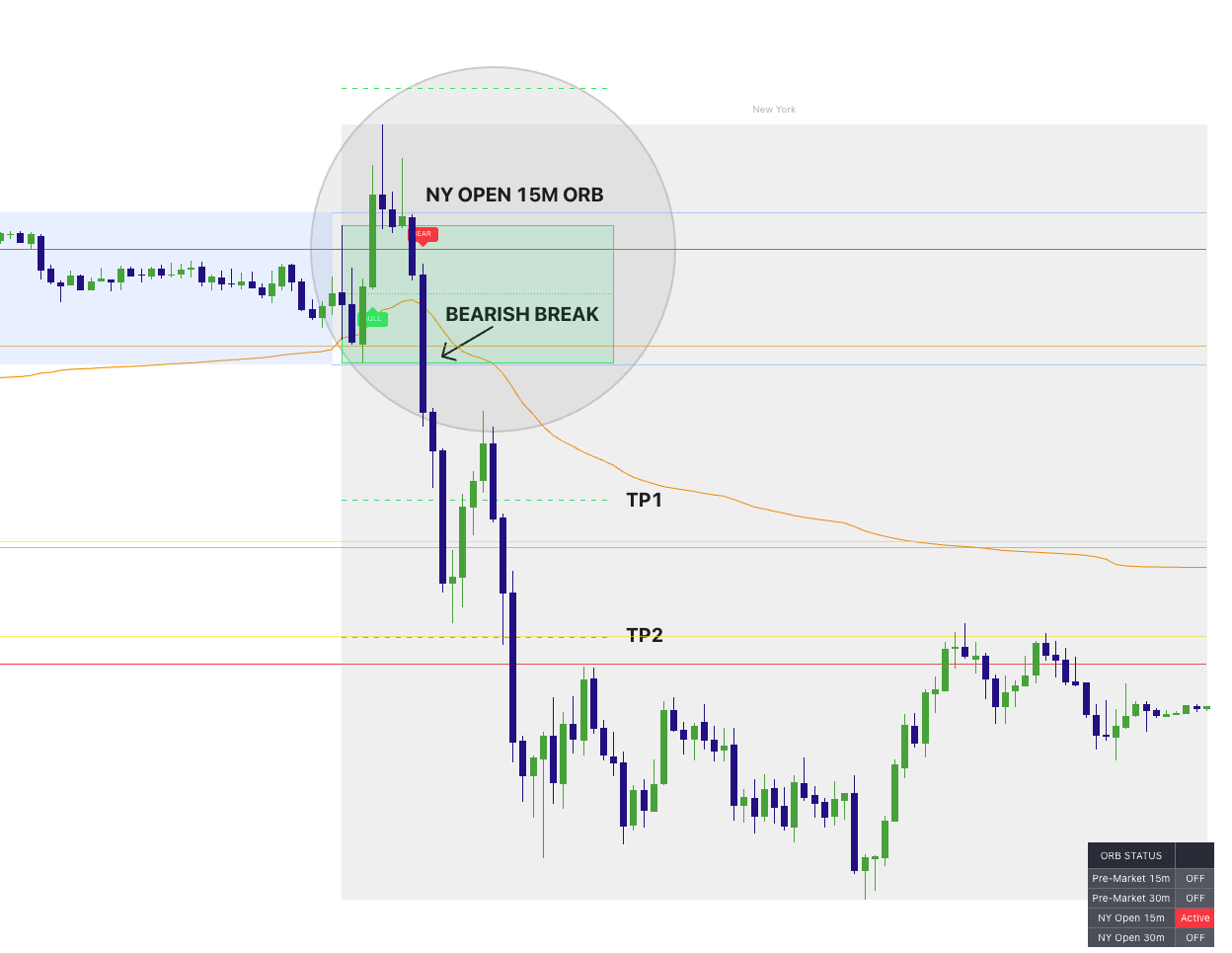
- ✔Pairs with ORB boxes + daily fib levels for planning
- ✔Built to help you decide the direction the market is expected to move
Preferred trading platform
NinjaTrader
The indicators run on TradingView. NinjaTrader is one option for placing your futures trades.

Free with an Elev8 account
Free tools: Journal + Market Command Center
Prepare for the session with Market Command Center, then review your trades in Trading Journal. No paid indicator plan is required.
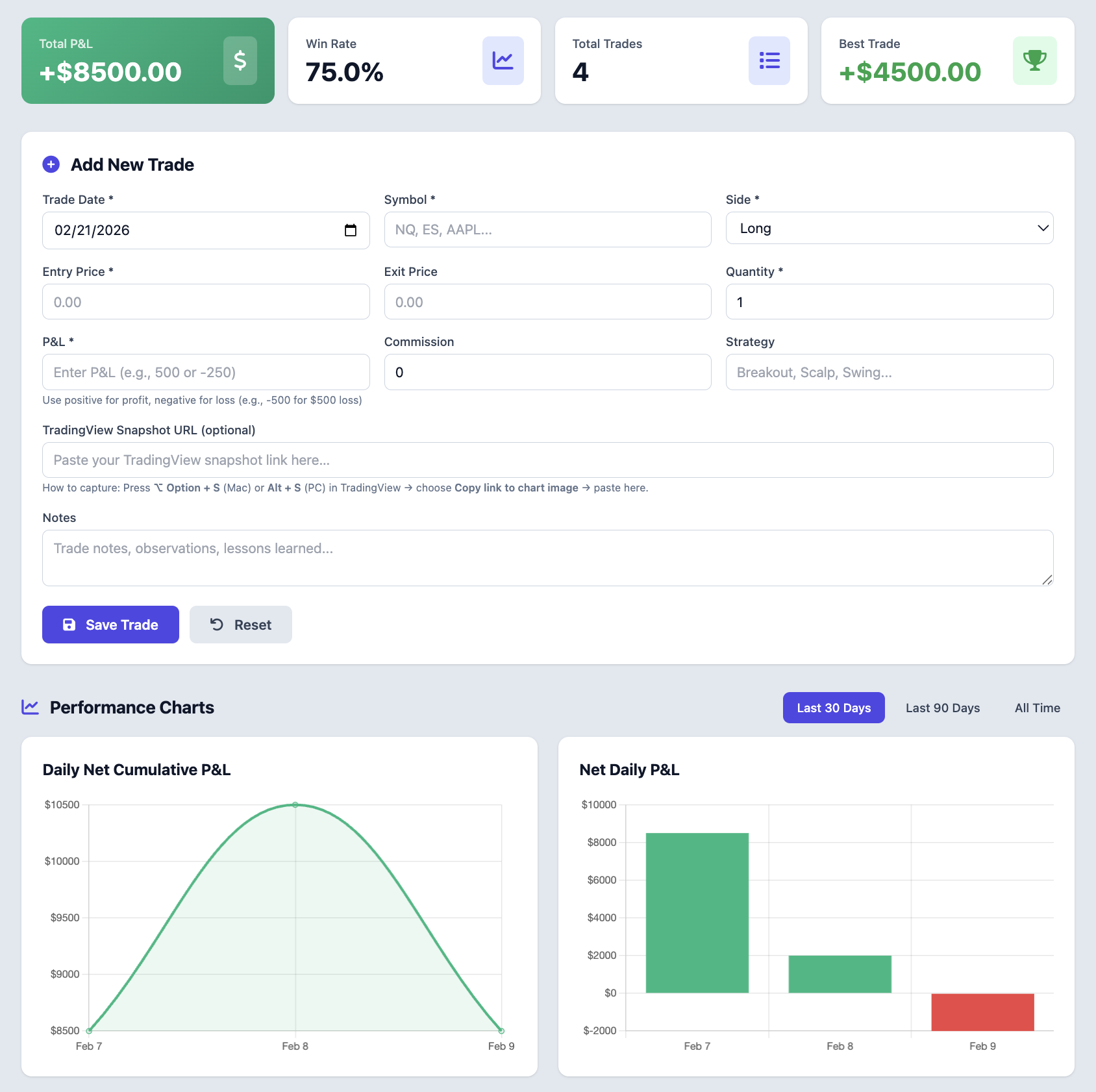
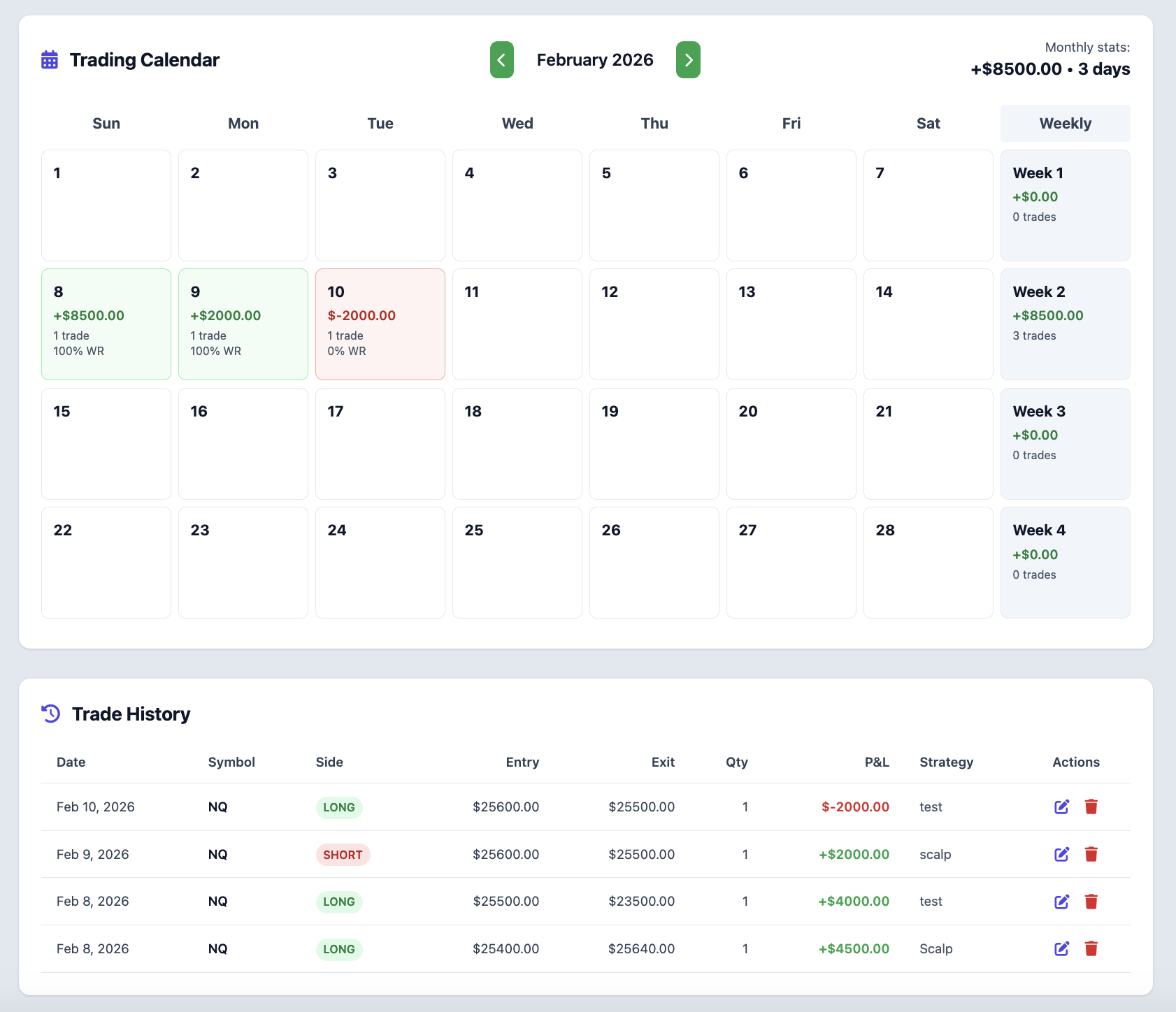
Detailed Trading Journal
Review your trades, P&L, win rate, and notes in one dashboard.
- Detailed stats: total P&L, win rate, charts, and graphs.
- Performance charts + a complete trading calendar view.
- Add notes + optional TradingView snapshot link for clean review.
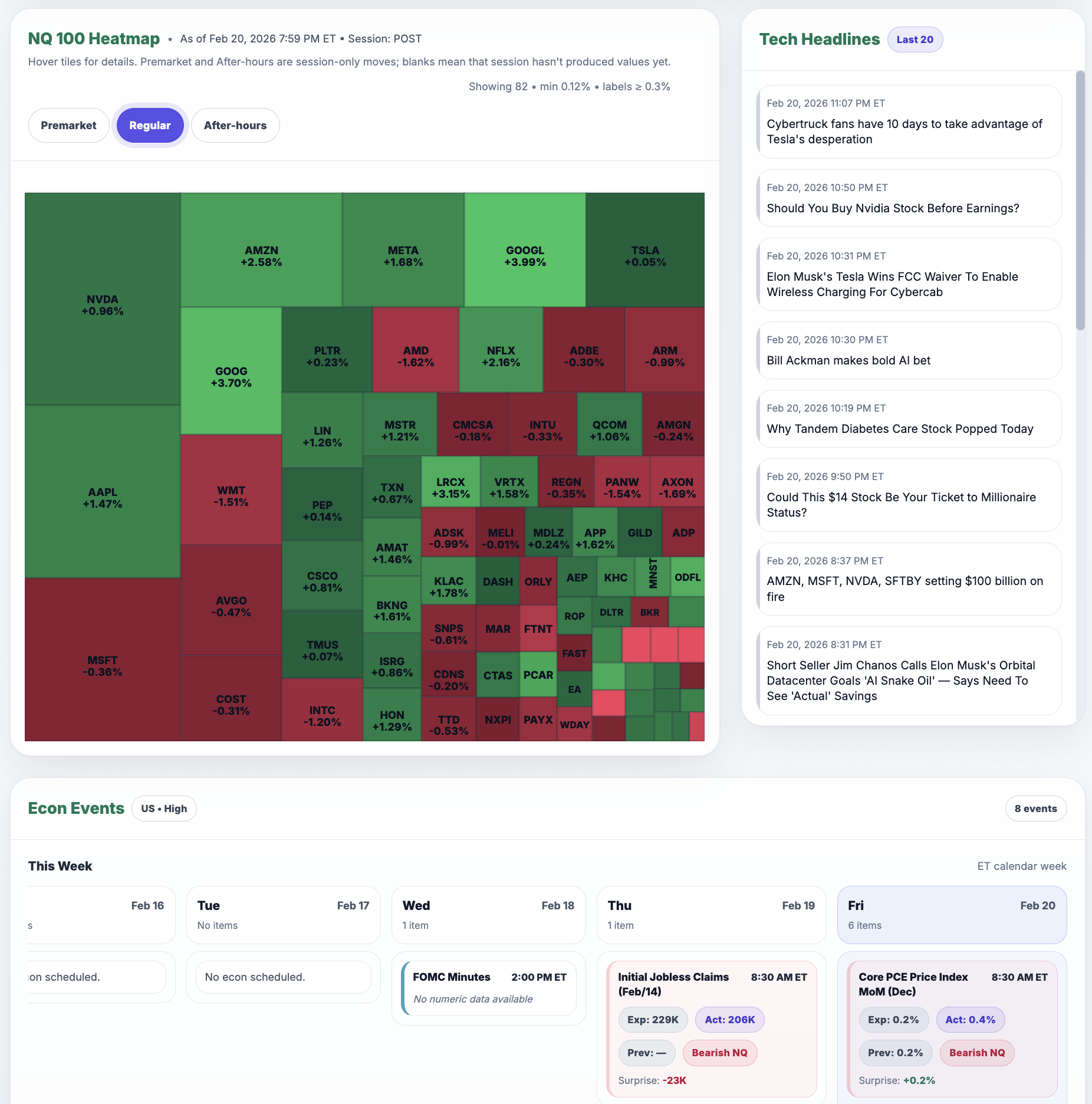
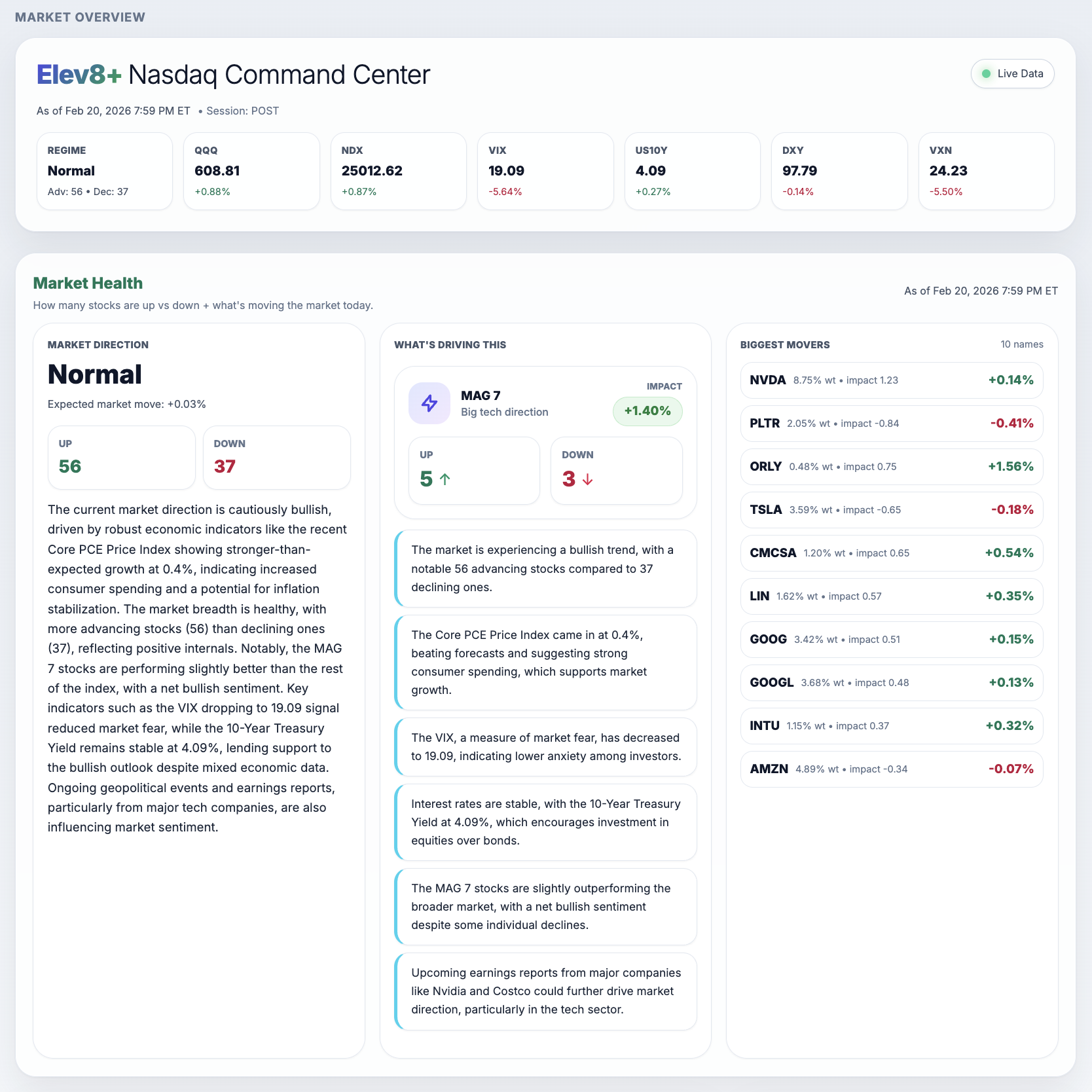
NQ Market Command Center
A Nasdaq dashboard with market-health indicators, a stock heatmap, the biggest movers, headlines, and economic and earnings calendars.
- Nasdaq-100 heatmap and biggest movers to see which stocks are moving the index.
- Market-health readings and a summary of current market conditions.
- Breaking headlines, economic calendar, and earnings—organized for traders.
Why this matters
A complete workflow, not just signals
Use the market dashboard to prepare for the session and the journal to review your decisions afterward. Together, they help you identify what to keep, change, and test.
Pick the Elev8+ plan that fits your workflow
Both plans include the complete seven-indicator Elev8+ framework on TradingView and ongoing updates. Choose the option that matches how deeply you want to build out your process around the tools.
Cancel anytime. No long-term contracts. Access is tied to your TradingView username.
From signup to your first chart
A simple 3-step setup—no complicated installs.
Step 1
Enter your email and TradingView username
Access is tied to your account.
Step 2
Complete checkout to activate access
Once access is granted, find the indicators under TradingView’s “Invite-only scripts.”
Step 3
Add the indicators to your chart
Start with Pro + Market Map, then layer on the rest.
Pro
Ongoing access with a 7-day trial
$0
/
today
7-day free trial · Then $59/month unless you cancel before the trial ends.
- ✔Complete Elev8+ framework access (all 7 indicators)
- ✔Access to members only community & knowledge base
- ✔Premium analytic tools and strategies
- ✔Trading journal & performance tracking workspace
- ✔Responsive customer support
- ✔Indicator-based alerts you can configure on your own charts
You can cancel anytime from your Elev8+ account dashboard.
Better Value
Ultimate
Limited-time OfferLifetime educational access · one-time payment
$499
/
one-time
$999
Save 50%
No monthly payments. Lifetime membership.
with code ULTIMATE50 (auto-applied)
- ✔Lifetime framework access (all 7 indicators)
- ✔Step-by-step Education Hub and setup guides
- ✔Reversal and continuation strategy playbooks
- ✔Execution, invalidation, risk, and targeting checklists
- ✔Private community and live educational videos
- ✔Ongoing indicator updates included
Built for traders who want a structured process—not another isolated signal.
From chaos to clarity
Same market, two different ways of seeing it. One chart keeps you reacting to every candle. The other gives you a consistent view of where structure, liquidity, and trend are aligned so you can make more deliberate decisions.
Before: cluttered chart, mixed signals
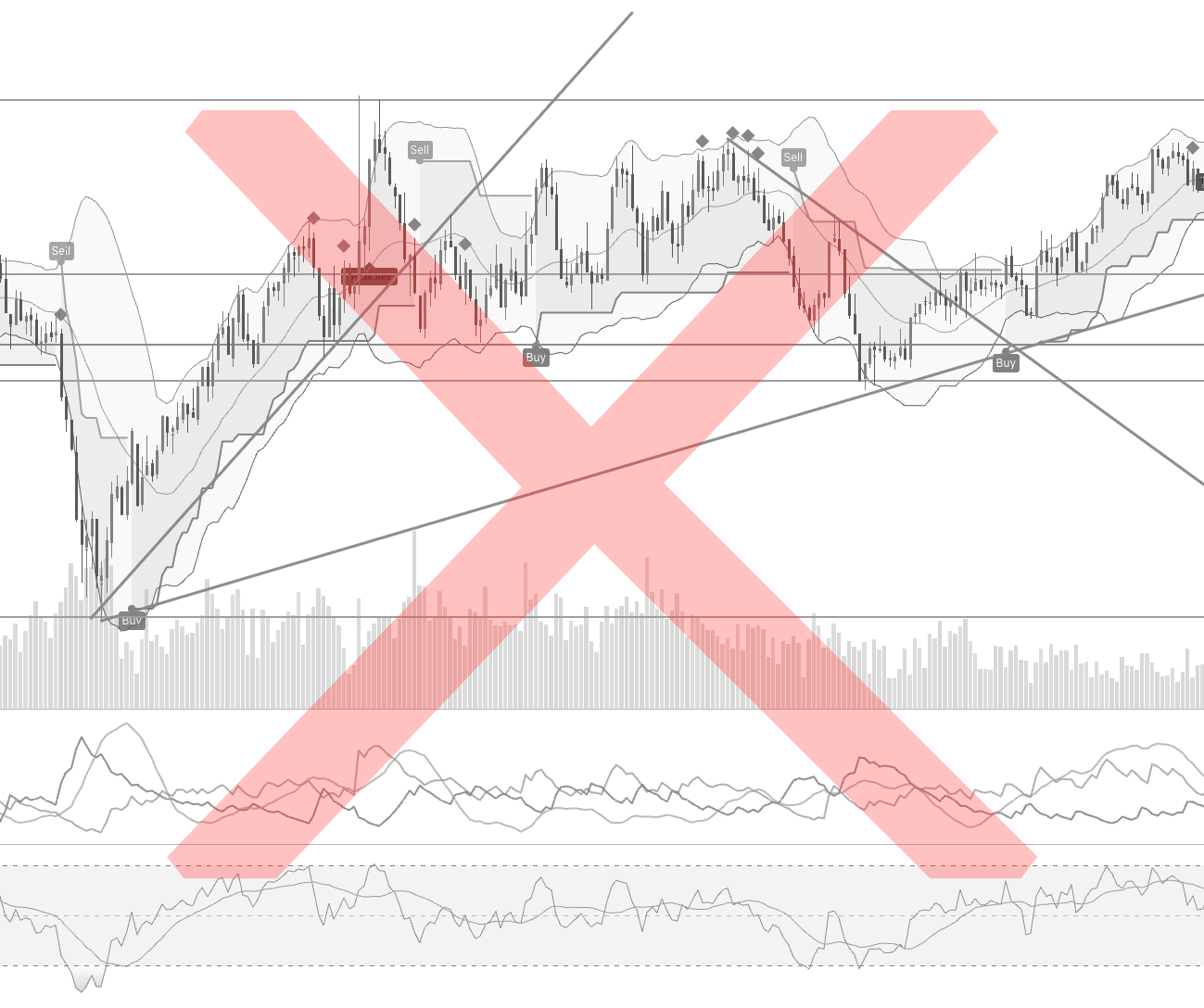
- Several indicators competing for attention at the same time.
- Hard to see where a trade idea clearly starts or fails.
- More noise on the screen, more room for doubt and impulsive decisions.
After: focused Elev8+ chart, clear structure
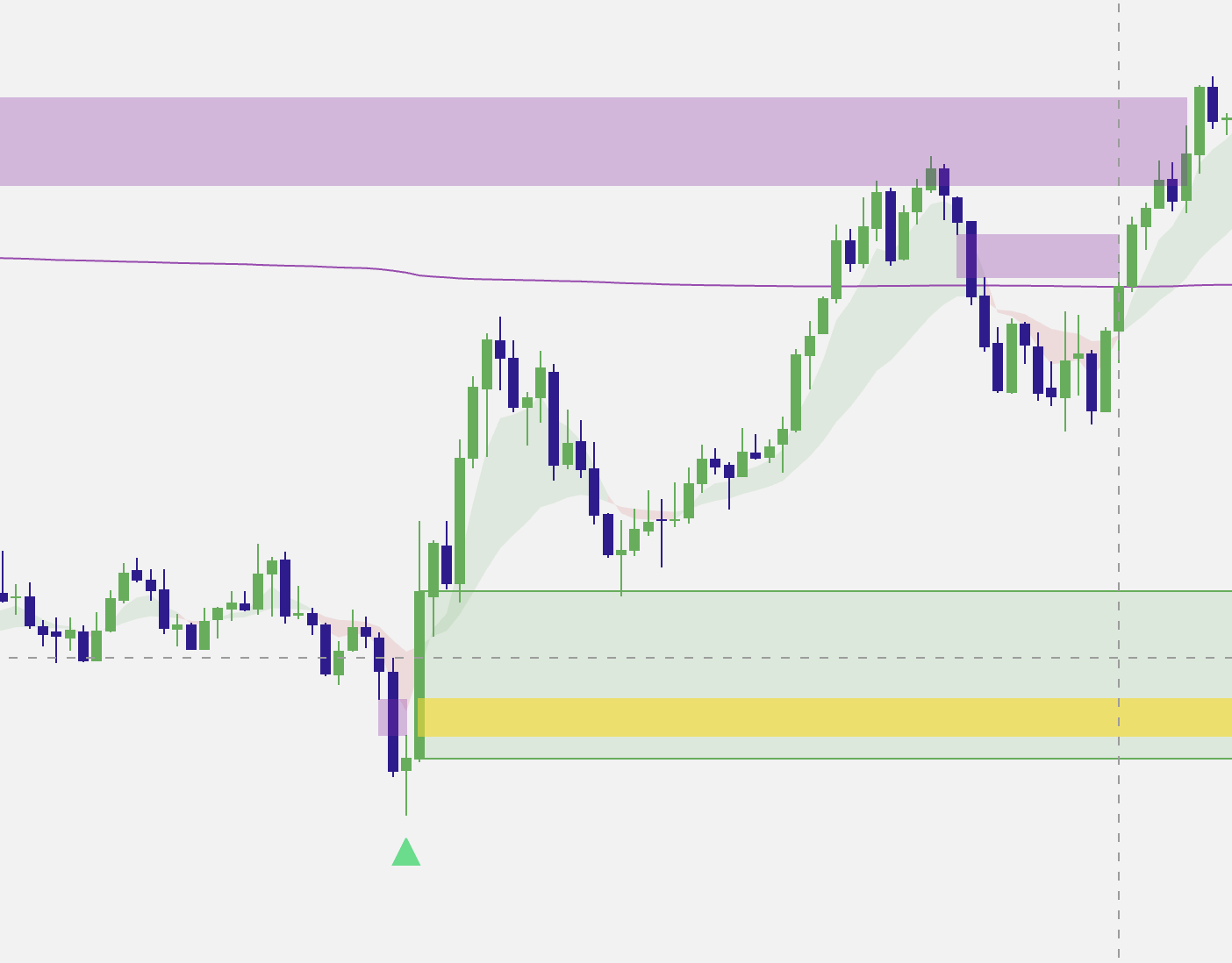
- One main system that focuses on sweeps, exhaustion, and trend context.
- Zones and markers that highlight where your plan is active or invalid.
- Less clutter, more focus on execution and risk planning.
What Elev8+ actually does for you
Elev8+ Pro highlights liquidity sweeps, potential reversal zones, and trend structure with clean, structured visuals. Use the tools together to mark key levels, measure how far price has moved from its average, and check possible entries against your rules.
Trend change illustration
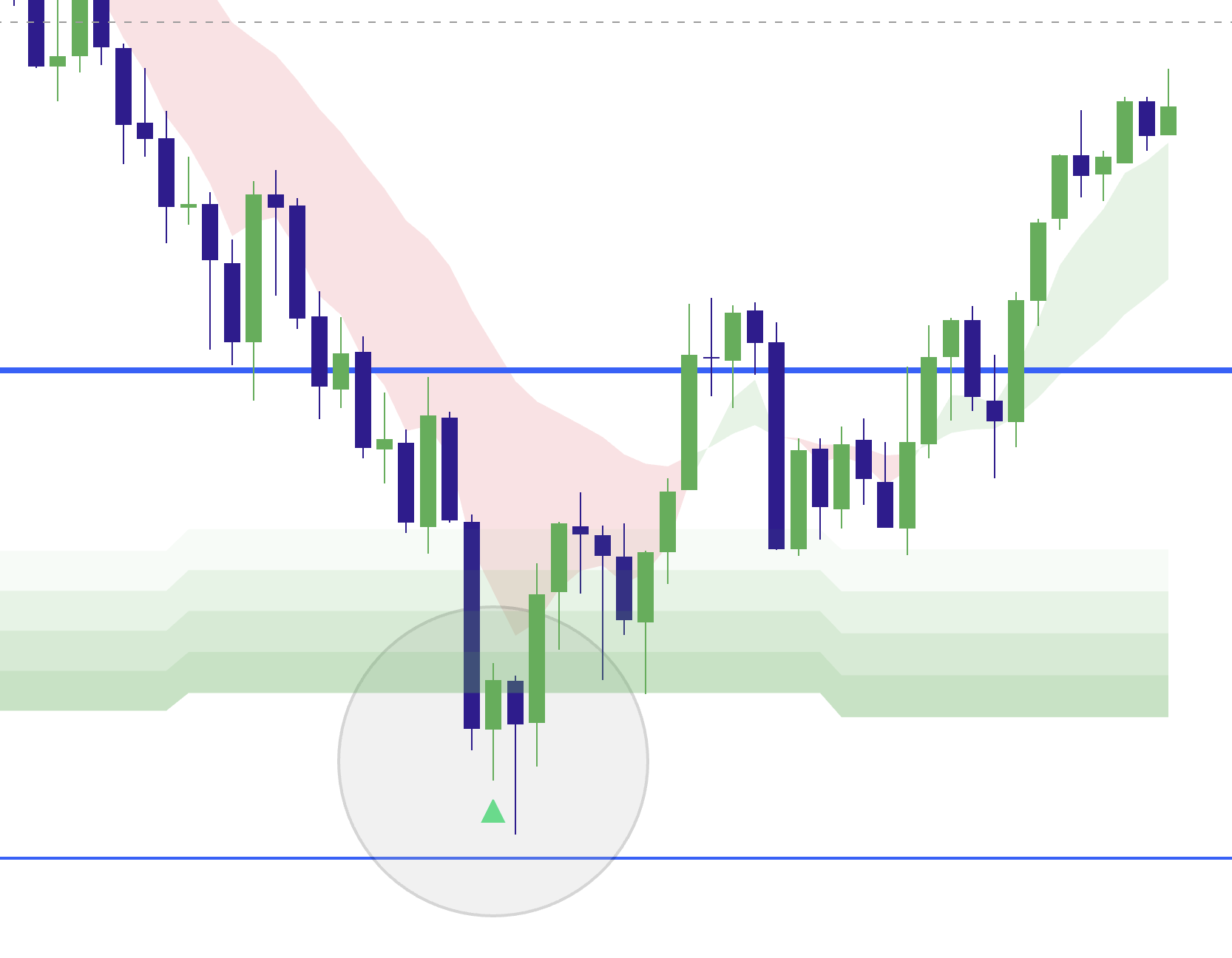
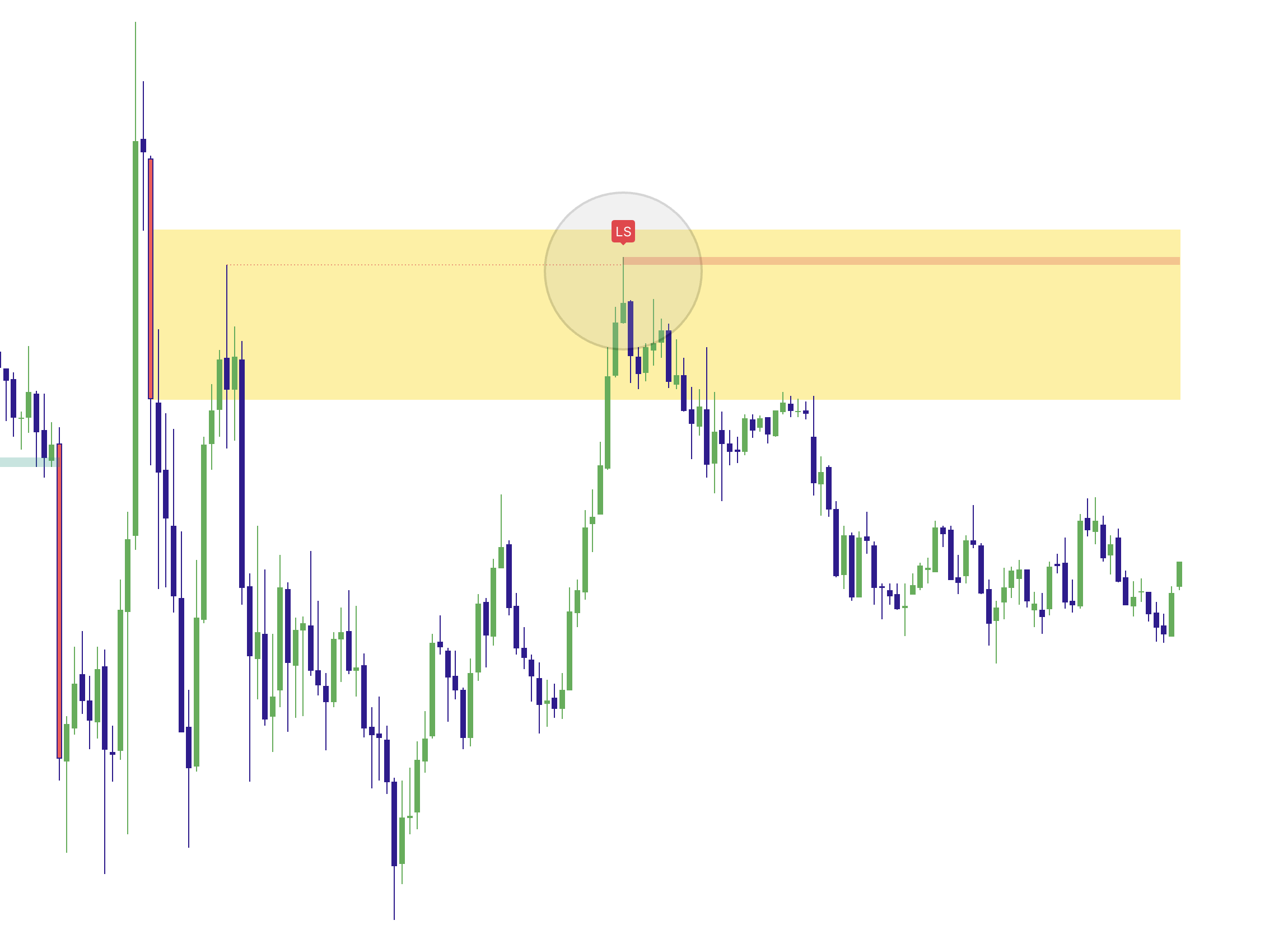
Exhaustion zones and markers help you study when momentum is fading after a sweep, giving you a clear visual reference for potential trend-change areas without cluttering your chart with constant signals.
Reversal structure illustration
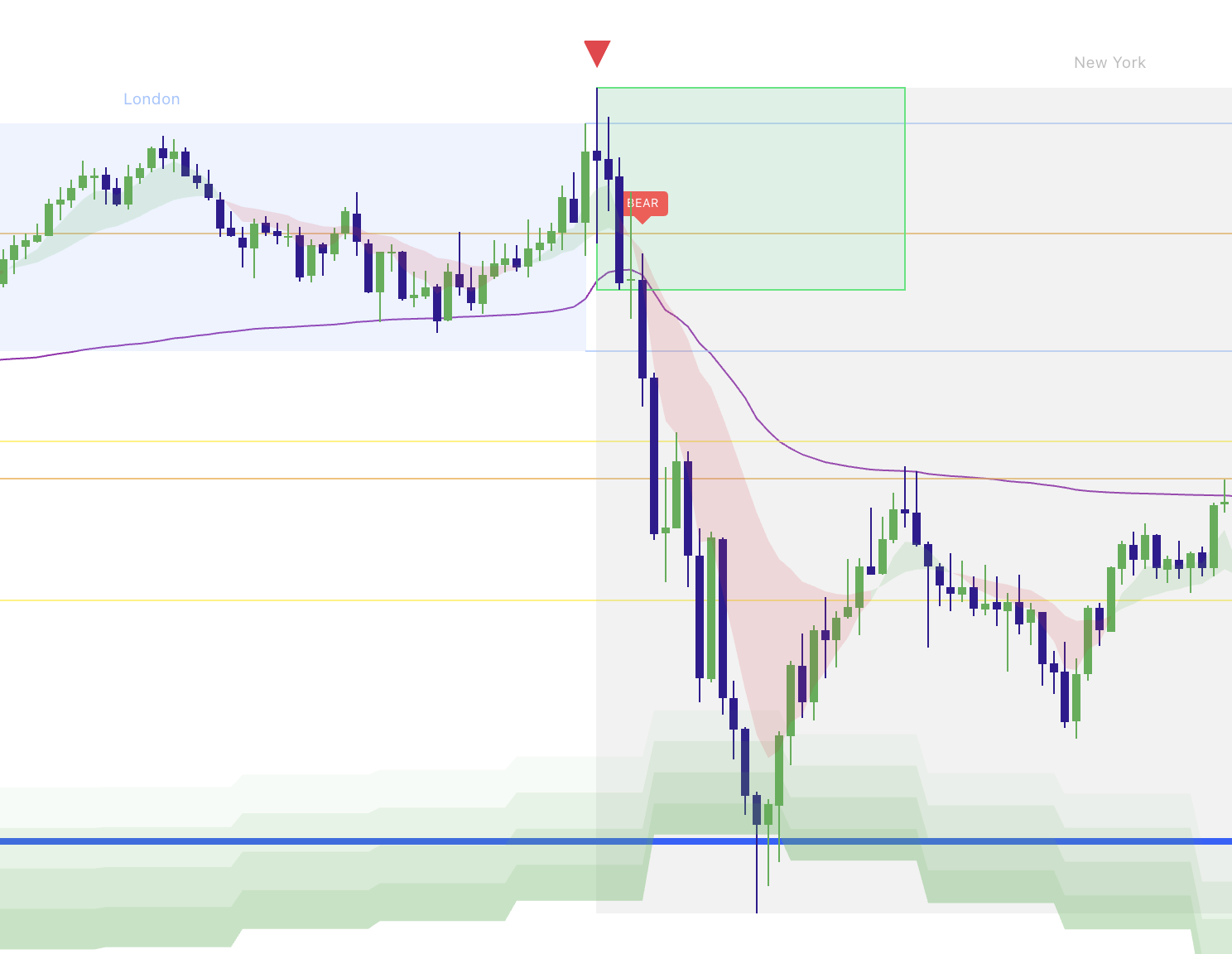
Colored zones and triangles show when a reversal idea is in play, when it invalidates, and how price is behaving through the area—so you can define risk more clearly and review decisions later.
Chart examples are for illustration and education only. They are not trade recommendations or a promise that similar patterns will repeat.
Chart signals you can review
Elev8+ is built so signals and zones stay on the chart. You can screenshot, journal, and review them later instead of dealing with disappearing or repainting markers.
Clear areas, defined risk
The tool outlines where a sweep occurred, where the reversal idea is confirmed or invalid, and where you might plan a stop—so you can make your own decision with more context.
TradingView alerts
Set TradingView alerts for the conditions you care about most. You can pair Elev8+ with your own trading rules or mobile notifications.
Works across markets
Apply the same visualization on indices, futures, FX, and large-cap stocks. You keep your preferred markets & strategy while using one consistent layout.
Plays well with your tools
Elev8+ is meant to layer on top of what you already use—order flow, ICT/SMC concepts, or classic technical analysis—so you can keep your own approach and add more structure.
Built for real-world use
Designed for traders who value discipline and review. The goal is to give you a structure you can review, refine, and test over time—never a shortcut or guarantee.
Ready to trade the market with more structure and clarity?
The free trial lets you see how Elev8+ behaves on your own charts during your normal trading sessions. If it does not fit your style or process, you can cancel before the trial ends and continue trading as you do now.
Indicator access is provided via TradingView invite-only script once your account is set up.
Frequently asked questions
A few quick answers about access, the trial, and how Elev8+ fits into a broader trading routine.
What indicators are included with the subscription?
Your subscription includes all seven Elev8+ indicators: Pro, Market Map, Market Extremes, Momentum Gaps, VWAP Deviation, Reversal Blocks, and Real FVG. You also receive the Education Hub, strategy playbooks, checklists, and ongoing indicator updates. Use one tool at a time or combine them as you learn the framework.
How do I activate the indicators on TradingView?
Access is delivered via TradingView invite-only scripts tied to your TradingView username. Once your account is set up, you will be able to add the indicators from your TradingView “Invite-only scripts” section and apply them to your charts.
Do I need a paid TradingView subscription to use Elev8+?
Elev8+ is delivered as an invite-only TradingView indicator. It works with both free and paid TradingView plans. Some traders choose a paid plan for more alerts and layouts, but it is not required to get started.
What markets and timeframes does Elev8+ support?
Because it runs on TradingView, Elev8+ can be applied to indices, futures, FX, and other individual symbols. Many users focus on intraday timeframes, but the visuals also scale to higher timeframes for swing planning and review.
What happens after the 7-day free trial?
If you keep the subscription active, your plan renews automatically based on the option you chose at checkout. If you decide Elev8+ is not a good fit, you can cancel before the trial ends and avoid any charges.
Does Elev8+ place trades for me or guarantee results?
No. Elev8+ is strictly a charting and analysis tool. It does not execute trades or manage risk for you, and it does not guarantee profits or prevent losses. You remain fully responsible for your own decisions and outcomes.
How is the Ultimate plan different from Pro?
Pro gives you ongoing access to the Elev8+ suite and updates on a monthly basis. Ultimate provides the same complete seven-indicator framework, Education Hub, playbooks, and ongoing updates through one lifetime purchase with no monthly renewal.